AI for game art: test 10 art directions in one day
Atlas takes one reference asset and reimagines it across ten distinct art styles in parallel — same composition, ten different looks, so you can pick a direction before committing to it.
Five stages, one asset to ten styles
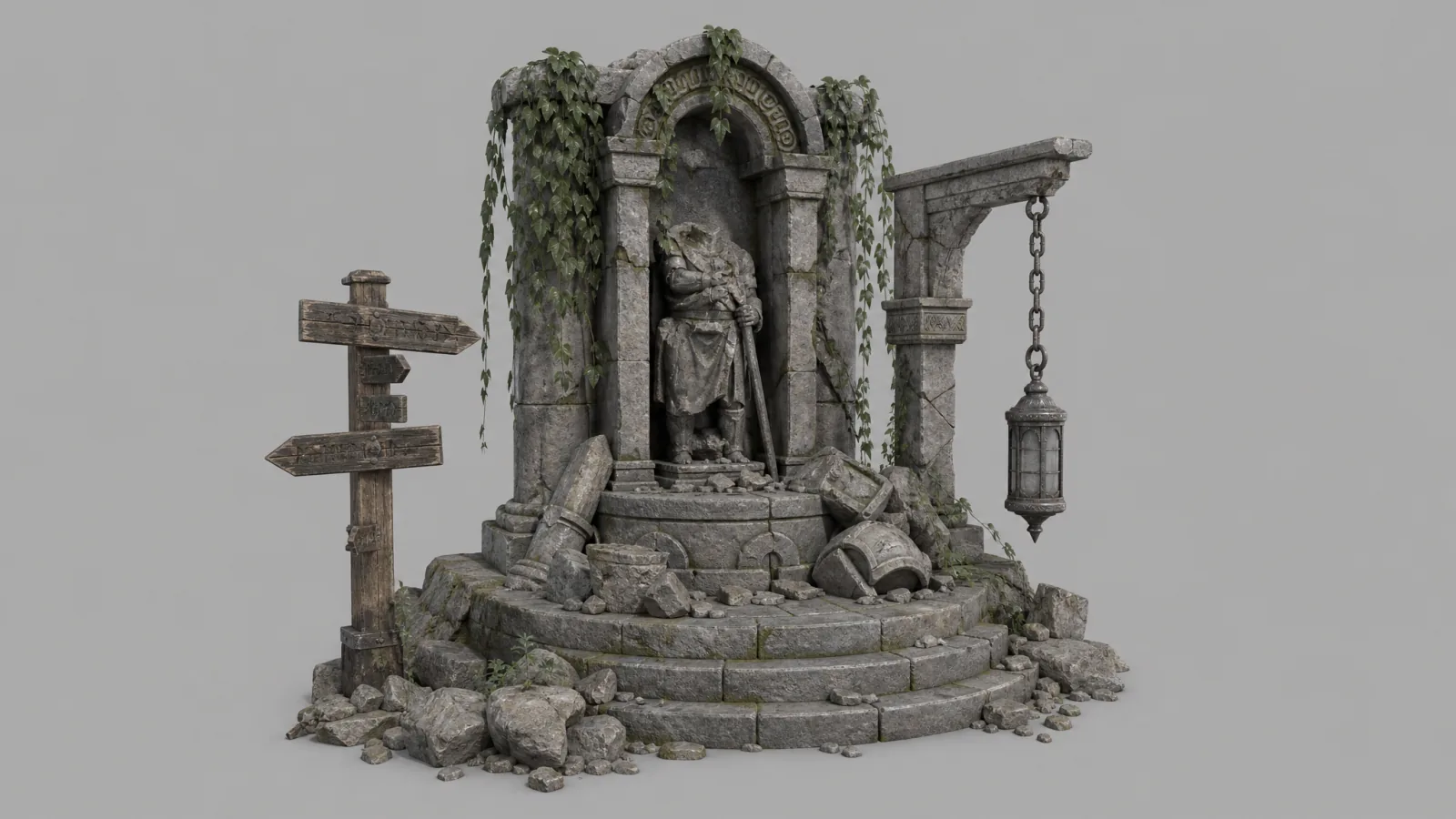
Image ingestion
Upload a source image — a prop, a character, an environment piece.
Visual analysis
A vision model reads the subject, composition and structure of the reference image.
Art direction
A master LLM acts as art director, turning that read into 10 specialized prompts across 10 distinct visual styles.
Prompt splitting
Lightweight parser nodes isolate each of the 10 style prompts from the master list.
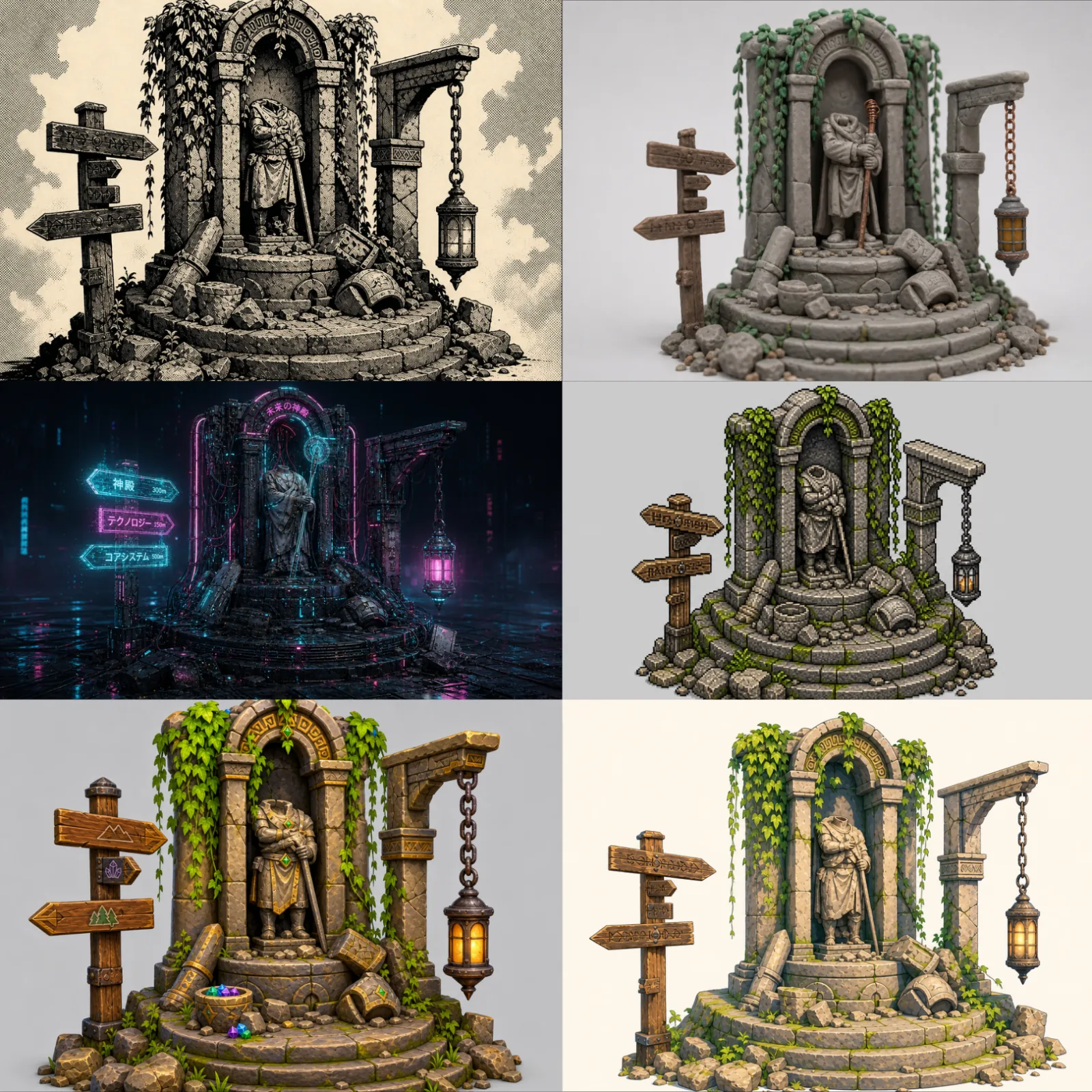
Parallel generation
Each prompt feeds a multimodal node alongside the original image, reimagining the asset in its style while preserving the core composition.
When do you run a style test, and what does it decide?
A style test belongs at the start of pre-production, before the art bible is written and before anyone models a hero asset. It answers which look the game commits to. That question is cheap to answer now and expensive later, because every asset built after the decision inherits it.
The workflow keeps the composition fixed so the comparison has one variable. Same subject, same camera, same framing, ten treatments. When three artists each paint a different object in a different style, the review compares subjects as much as styles and the meeting ends on taste. Ten versions of one monument put the treatment alone on the table.
Judge each direction on more than whether it looks good in the grid. Most of what a look costs only shows up once production starts.
| What to check per direction | Why it matters | Where it shows up later |
|---|---|---|
| Readability at gameplay distance | A look that reads at poster size can turn to noise at gameplay scale or on a phone screen | Level art, UI, marketing shots |
| Surfacing cost | Photoreal PBR needs texture sets and lighting work; flat cel shading needs a shader and clean silhouettes | Texturing hours, shader work, review rounds |
| Platform budget | Low-poly and pixel-art looks sit inside mobile triangle and texture limits by design; photoreal does not | Retopology, LOD passes, memory |
| Team fit | Hand-painted needs painters; procedural PBR needs technical artists | Hiring, outsourcing briefs |
| Genre expectation | Players read a look as a promise about the game | Store page, trailer |
How do you brief the art director node so the ten looks are worth comparing?
The demo ships with ten broad styles, photoreal to pixel art, and that spread is right for a first pass when nothing has been decided. Once a shortlist exists, replace the defaults in the art director’s system message with the candidates actually on the table. Ten variations of painterly beat one painterly, one claymation and eight looks nobody would ship.
Write each style the way you would brief a concept artist: material treatment, edge handling, palette, light. "Painterly, visible brush texture, hard rim light, saturated key colours, no outlines" gives the image node something to hold. "Stylized" leaves the decision to the model, and that decision is the one you are trying to make.
- Pick a source with material variety. Stone next to metal next to something organic shows how each treatment handles surfaces that behave differently; a flat wall shows one.
- Fix the seed when you re-run with an edited prompt, so the prompt is the only thing that changed between the two grids.
- Run one source at a time and compare grids, rather than collaging a prop and a character into one image.
What happens after you pick a direction?
The output of this graph is ten images and a decision. It produces no meshes, and it does not hold the chosen look across the next two hundred assets. That is on purpose: the test is built to run in under a minute and to be run again the moment the shortlist changes.
The winning image becomes the seed of the art bible. Feed it, with the other renders you already trust, into the style-consistency workflow: it reads material finishes, palette, lighting and motifs out of the references and writes a style bible that every later request runs under. From there the approved concepts go into an image-to-3D workflow and come back as textured GLB meshes.
Hold the chosen direction across the catalog: consistent art style across AI-generated game assets →
It has become my new favorite tool and I am using it every day.
Where the time goes
| Stage | Manual | Atlas |
|---|---|---|
| Total time, one asset to ten styles | 1–2 weeks | 30–60 seconds |
Common questions
What does the ten-style test output?
How long does one asset to ten styles take?
Can I choose which ten styles get tested?
What do I get the files as?
How many credits does a ten-style run use?
Can I test five directions, or twenty?
Does it work on characters and environments, or only props?
Which image models render the ten styles?
Related workflows
Try this workflow in Atlas
Free to start. No credit card required.
Try it on Atlas