New node · Blender Agent

Blender Agent: a node that builds scenes in Blender

Wire prompts, 3D models and reference images into the node. An AI agent assembles and lights the scene in a hosted Blender, checking its work with screenshots as it goes, and hands back a .blend and an optional GLB.
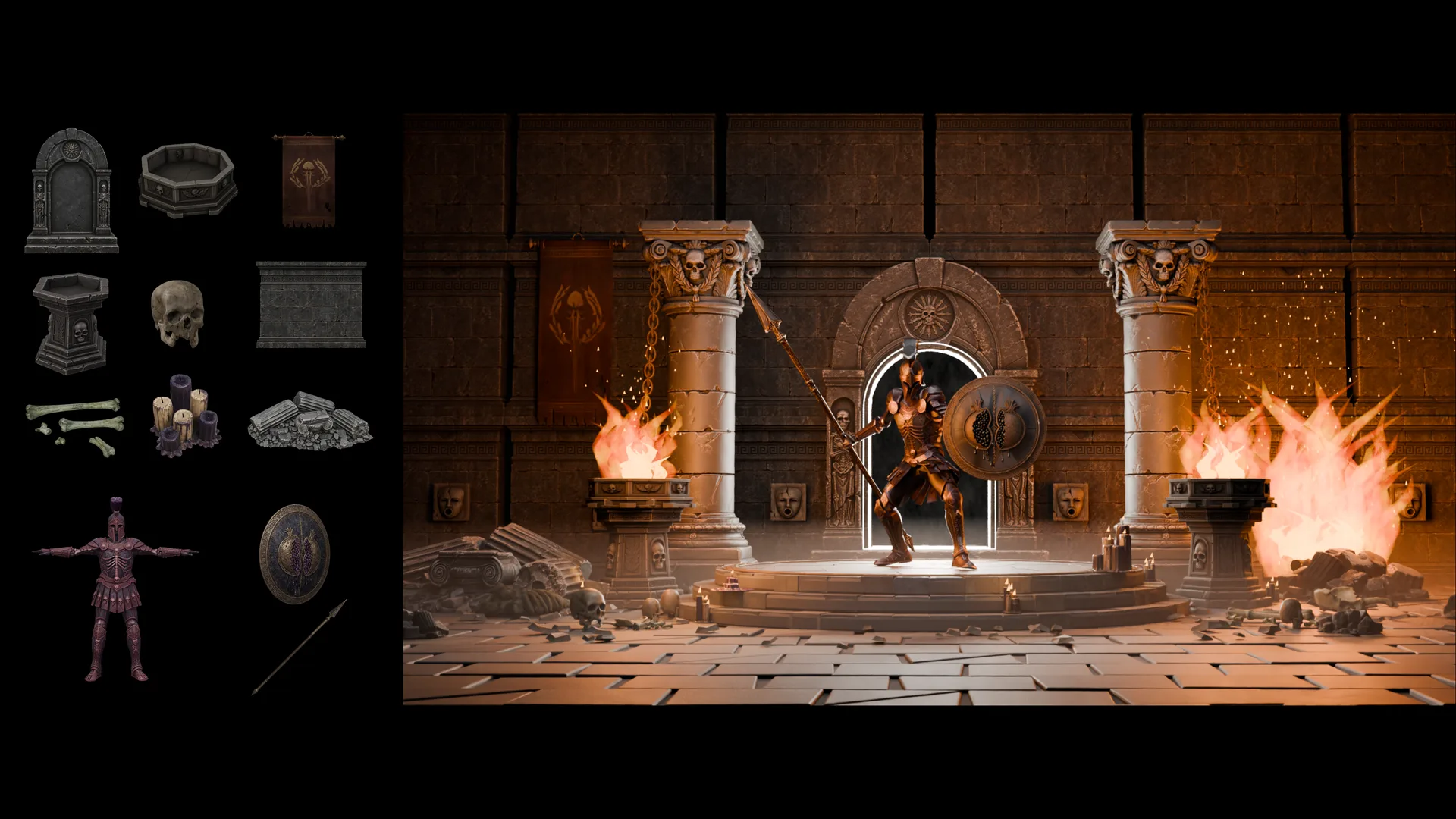
A kit of individual crypt props and an armored warrior with spear and shield on the left, composed into one lit crypt scene with the warrior posed on a dais between two burning braziers on the right
Source assets, left · composed scene, right

How the Blender Agent node works

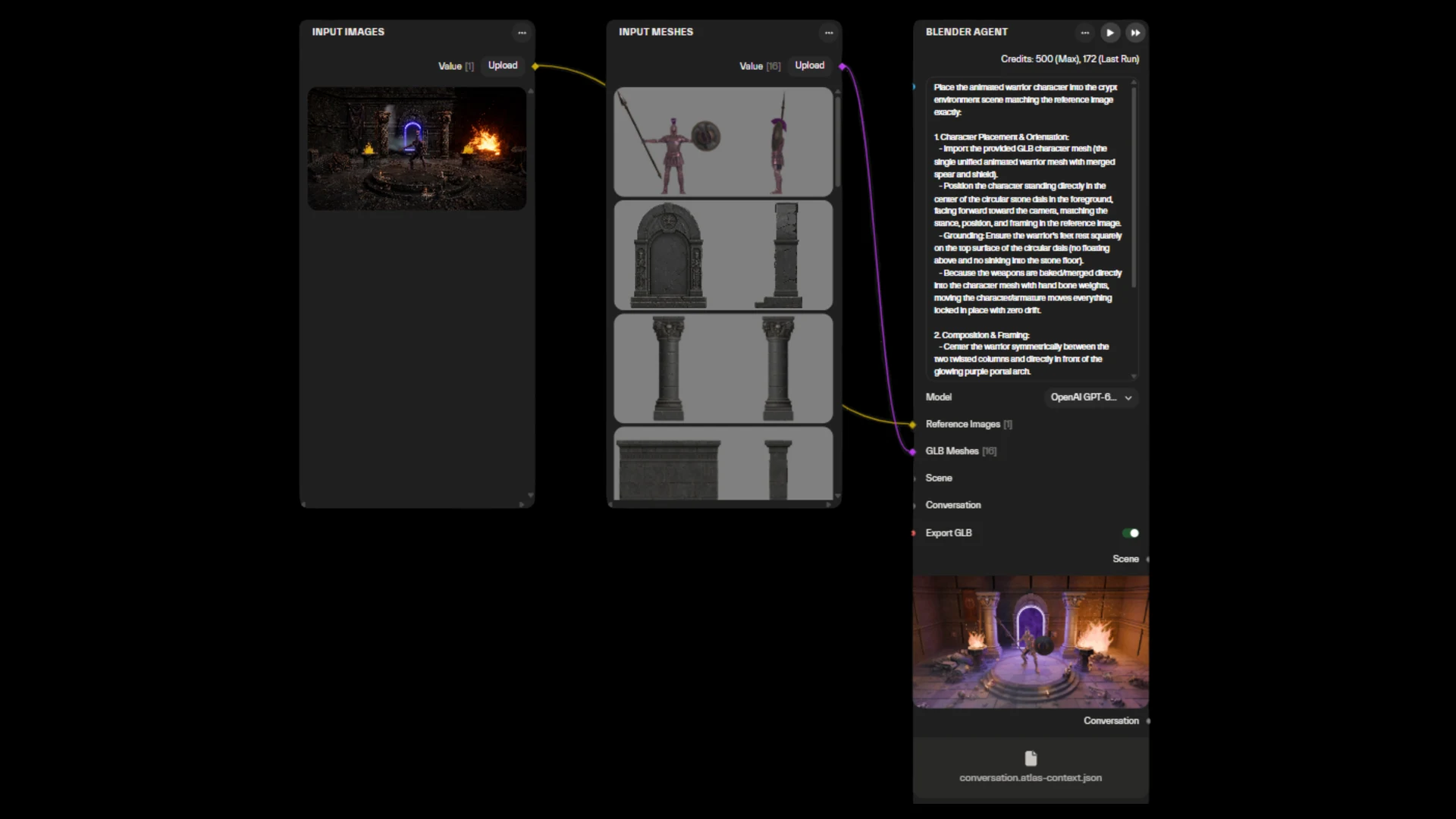
A Blender Agent node: one reference image and sixteen GLB meshes go in through Input Images and Input Meshes, the full placement prompt is visible, and the finished crypt scene comes out as the Scene output
Input Images, Input Meshes and a prompt in — a finished Scene out
01

Inputs

A prompt, a .blend scene, GLB models, reference images or PBR maps.

02

Blender Agent

The model you pick (Claude, GPT, Gemini and others) works in a sandboxed Blender, running real bpy operations. Every tool call is saved in the conversation, so you can see what it did.

03

Outputs

A .blend scene, an optional GLB and the conversation for the next step. Add a Render node for a Cycles PNG.

Built with the Blender Agent node

Six runs, six different prompts and inputs.
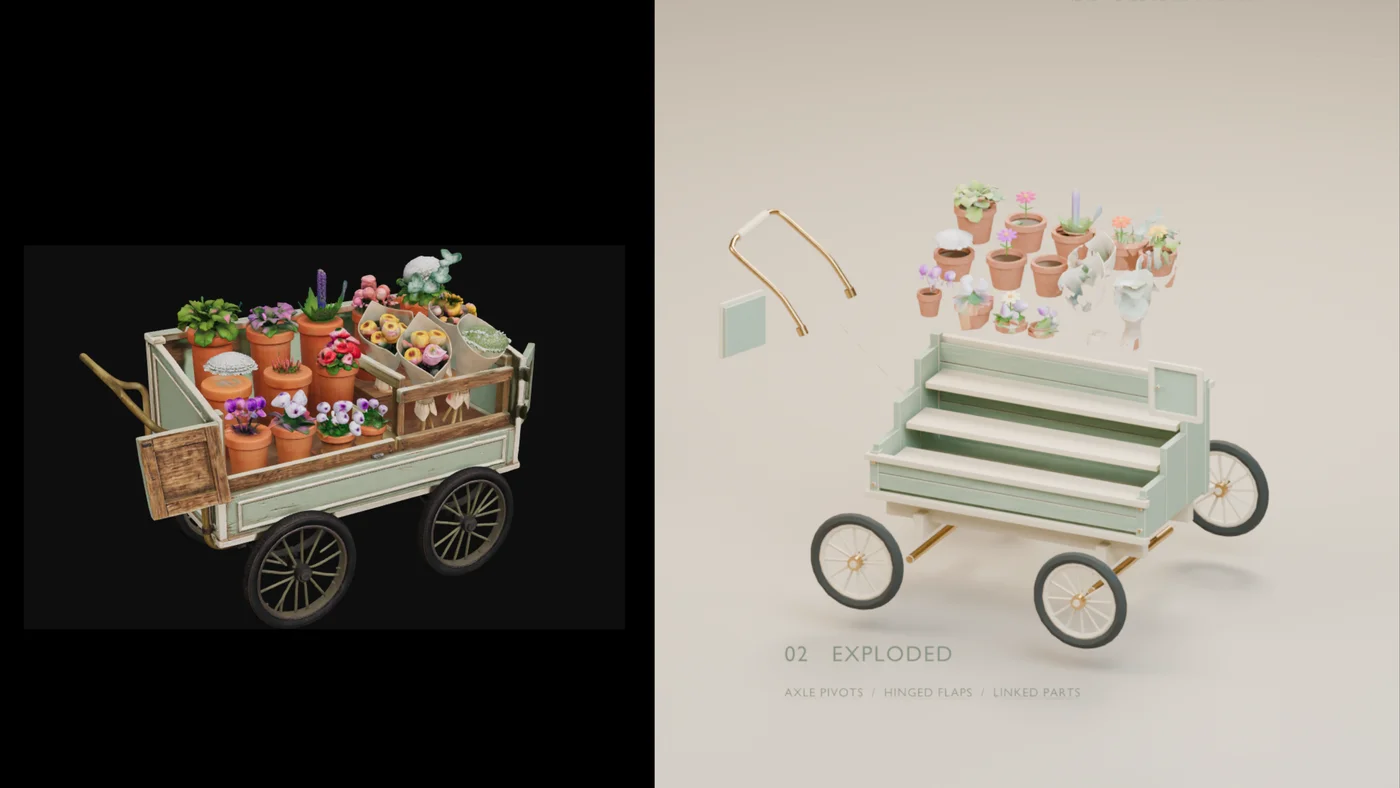
A finished Atlas-generated flower cart on the left is exploded into its individual parts on the right, with axle pivots, hinged flaps and linked parts labeled separately
An Atlas-generated asset, exploded into its parts by the Blender Agent node
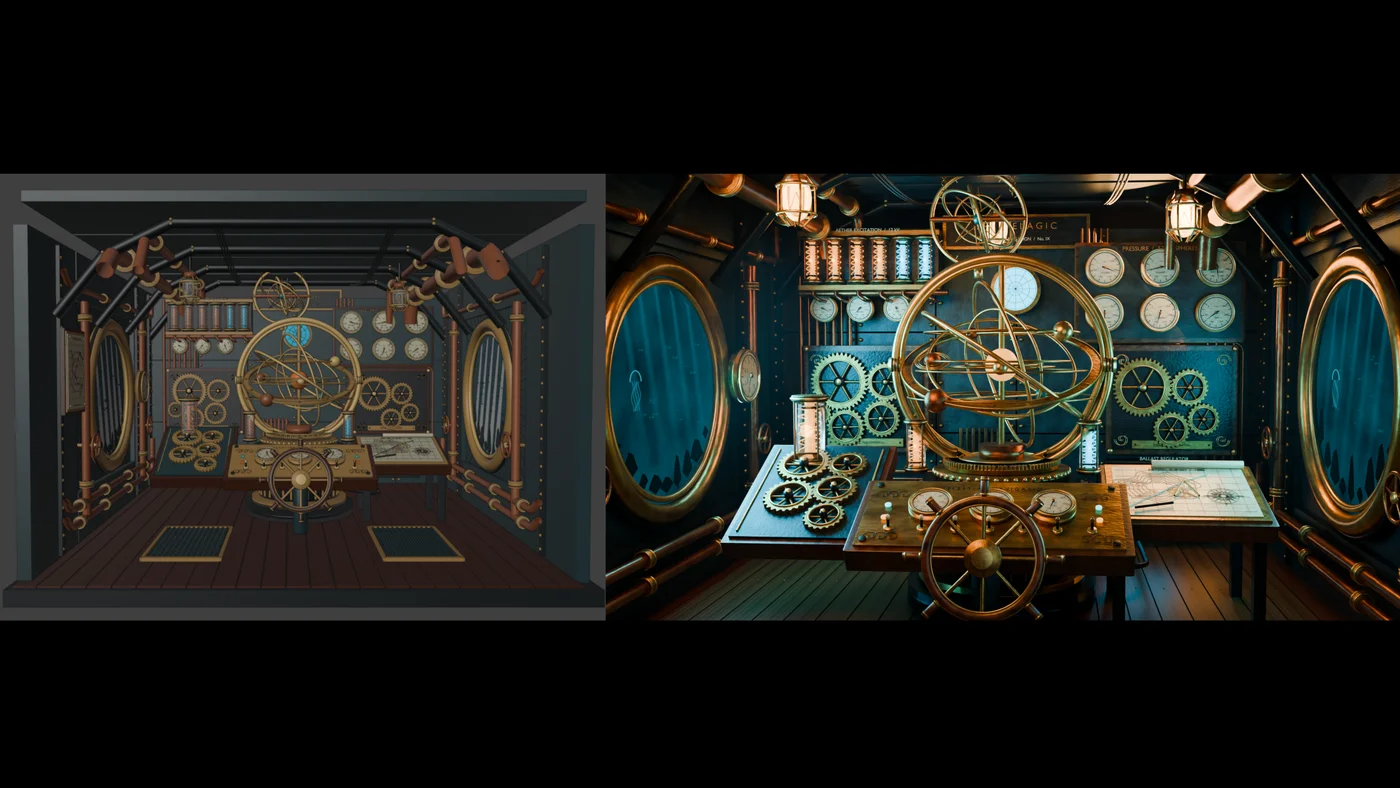
A steampunk astronomical submarine cabin: a flat-shaded blockout on the left becomes a lit brass-and-copper interior with an armillary sphere on the right
“Steampunk astronomical submarine”
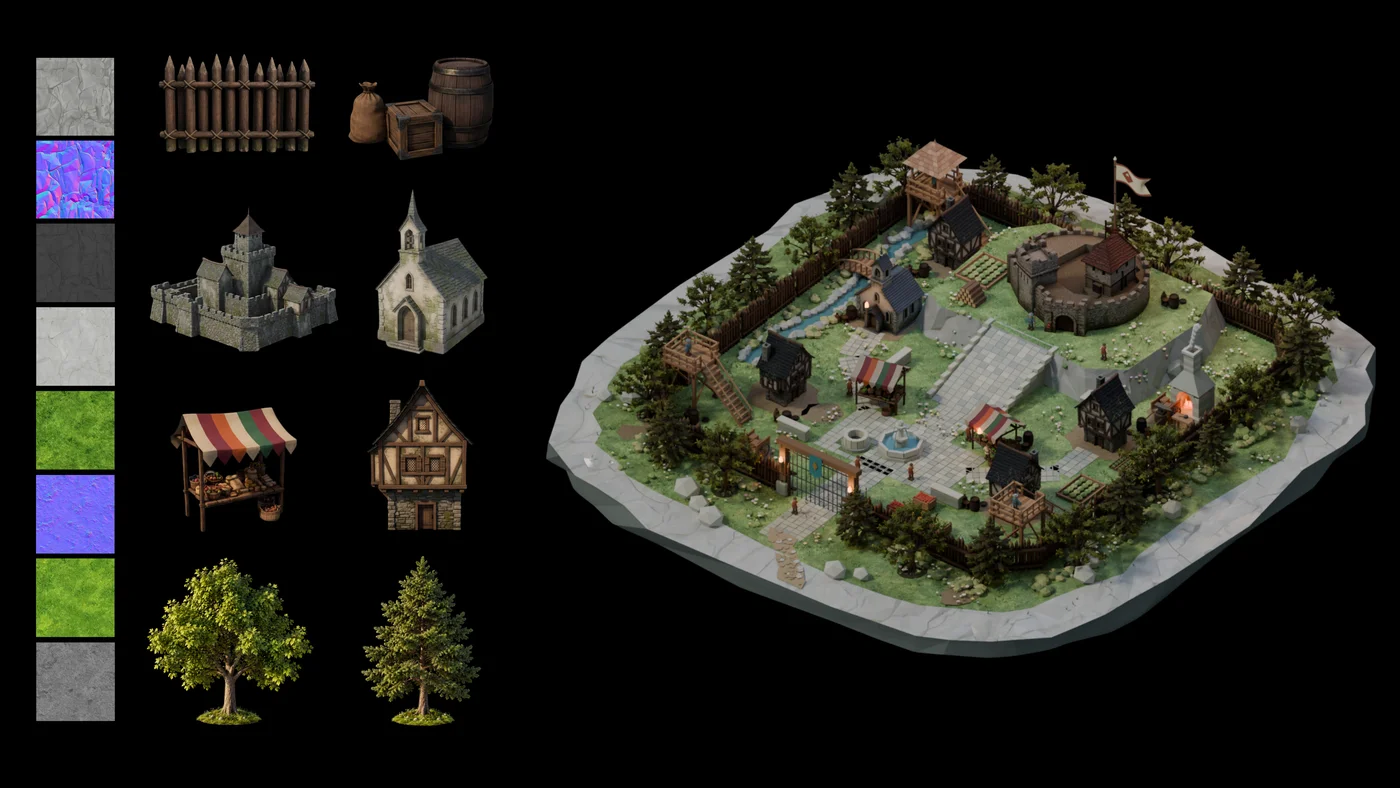
Eight PBR texture maps and eight prop and building meshes on the left are assembled into one walled village on the right
Medieval village, built from pre-generated kit assets and texture maps
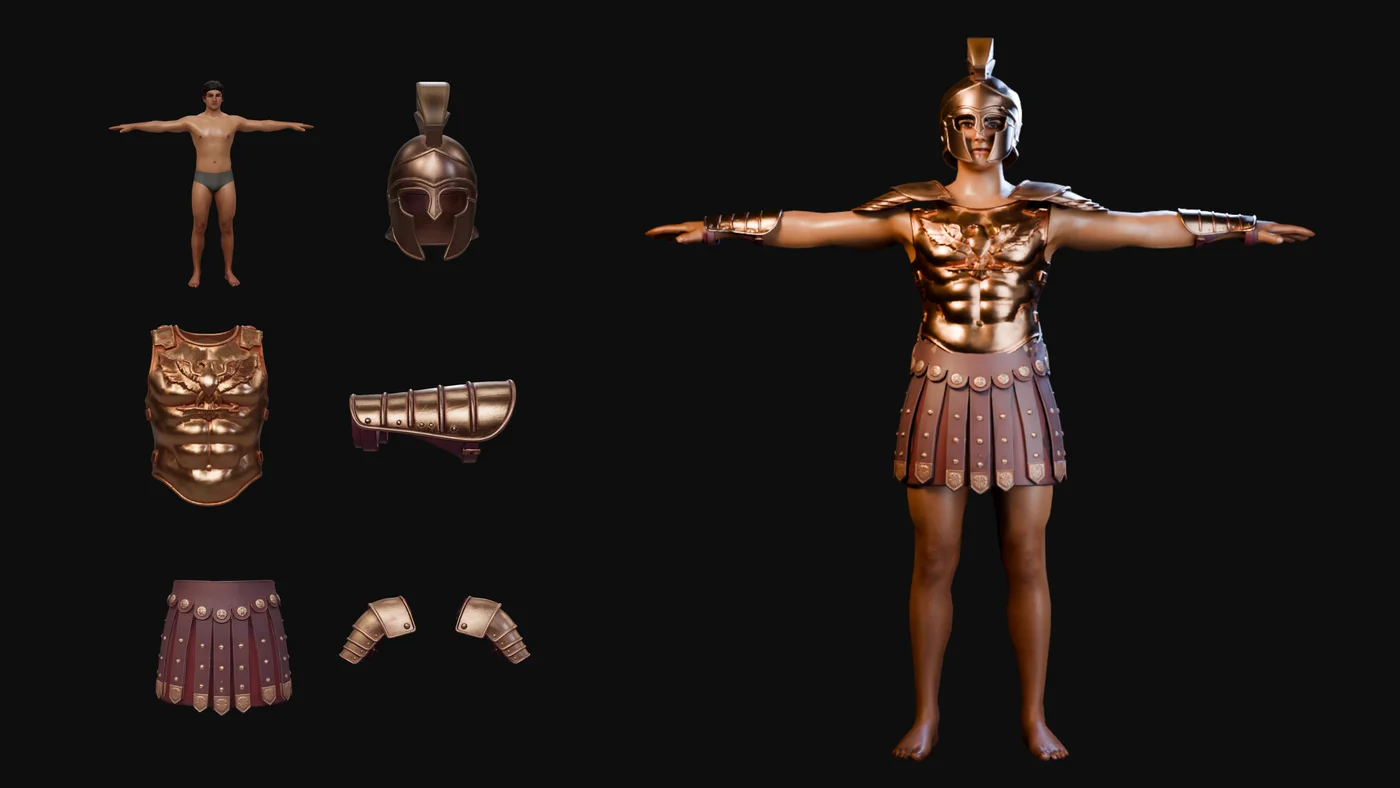
A bare character mesh and separate helmet, cuirass, pauldrons, kilt and greaves on the left are equipped onto the character on the right
Dressing a pre-generated character in pre-generated garments
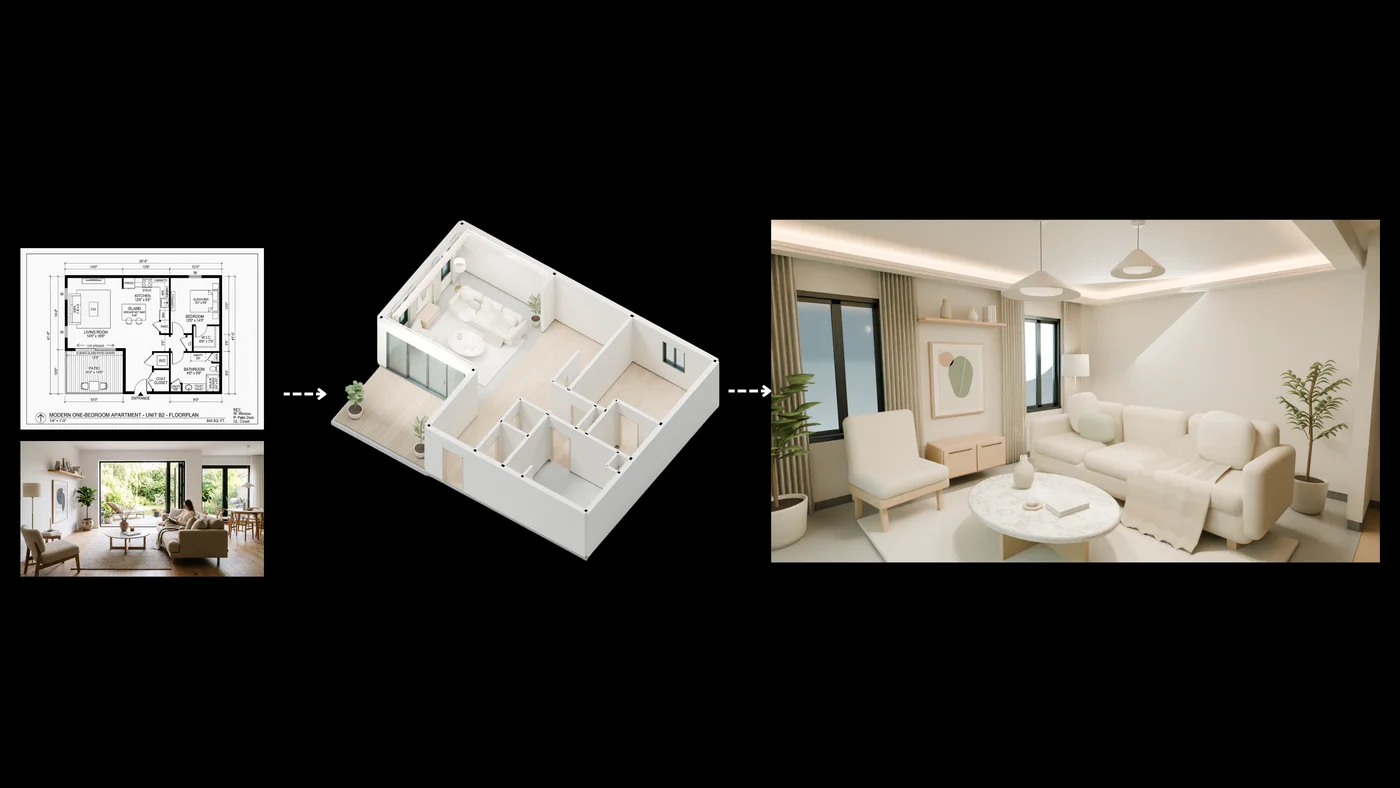
A floor plan and a reference photo on the left become a modeled apartment shell in the middle, then a furnished Scandinavian-style living room on the right
Floor plan to furnished room, Scandinavian minimalist aesthetic
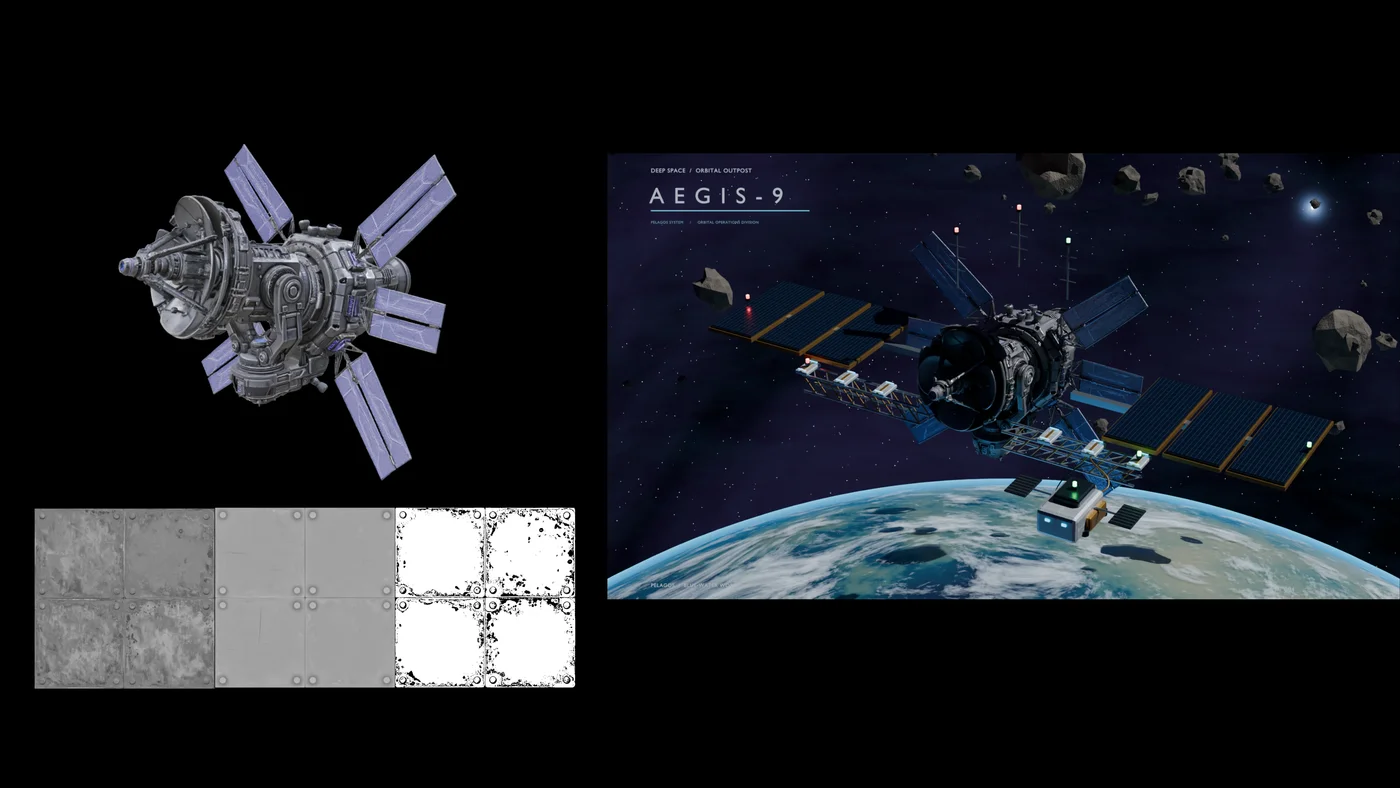
A grey station module mesh and its PBR texture maps on the left become a lit orbital outpost over Earth, with docking gantry, asteroids and an AEGIS-9 title card, on the right
“Deep Space Orbital Outpost Aegis-9,” from an input station module mesh and texture maps

Chain passes without losing the scene

Each stage is its own Blender Agent node. The next one receives the scene and the conversation, so it knows what was built and what everything is called.
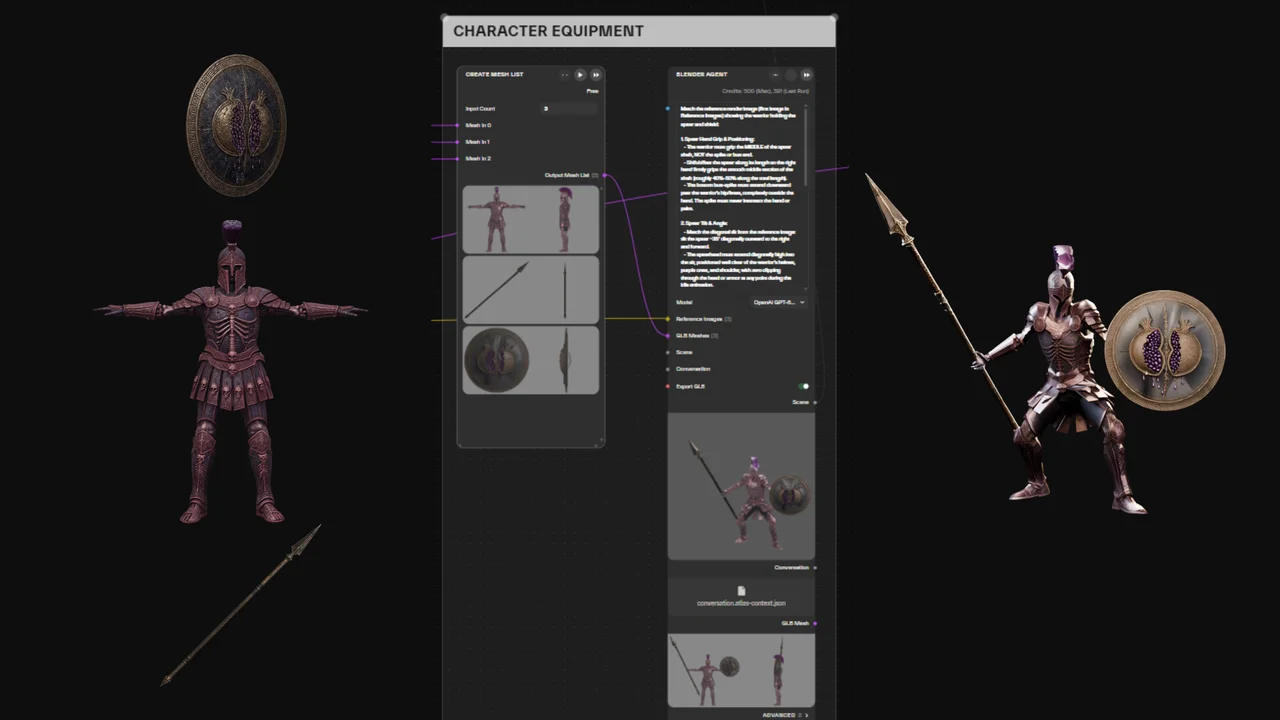
Blender Agent node titled Character Equipment: a GLB mesh list of spear, shield and armor pieces feeds the agent, which outputs the warrior posed and equipped
Stage 1 · Character equipment
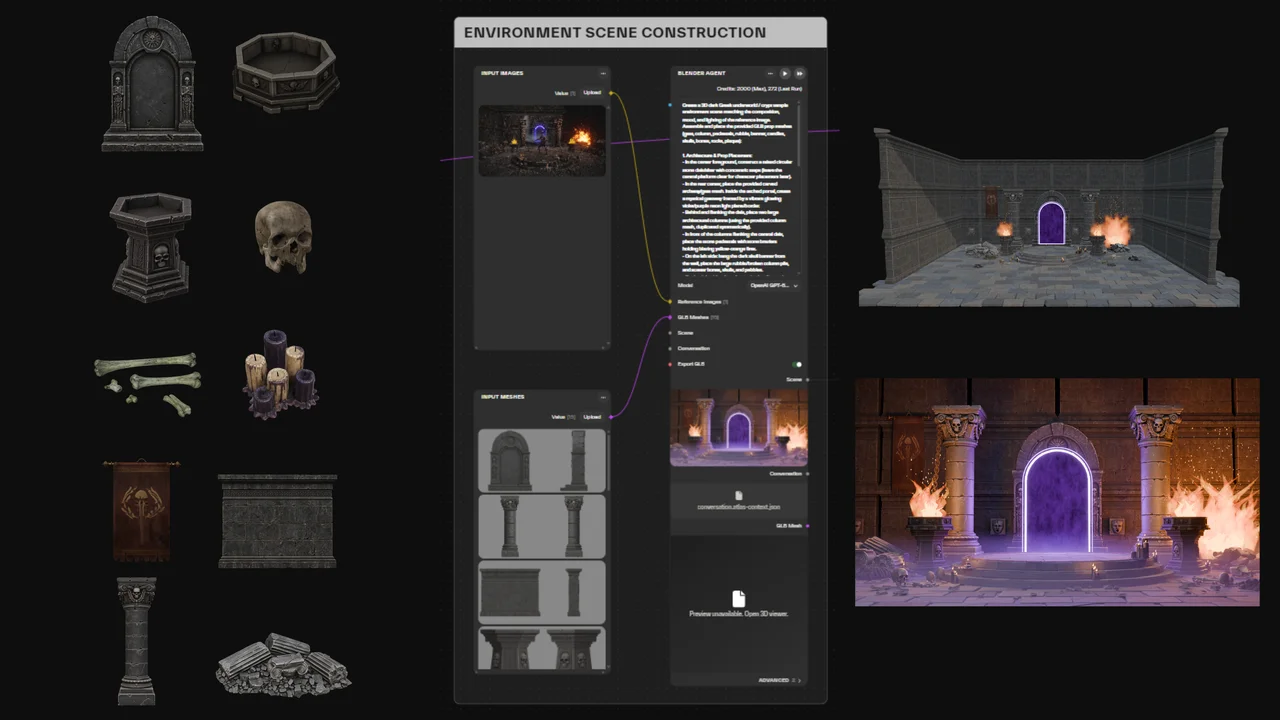
Blender Agent node titled Environment Scene Construction: reference image and GLB prop meshes feed the agent, which outputs a lit crypt environment with a glowing portal
Stage 2 · Environment construction
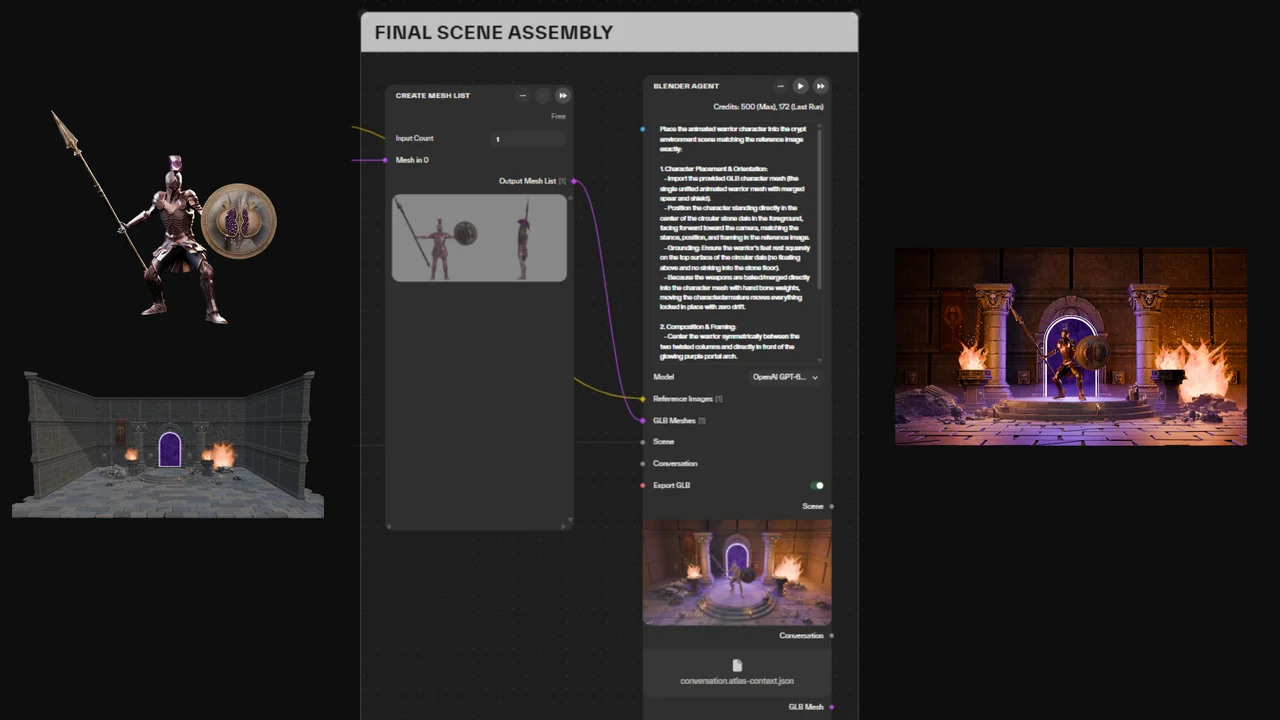
Blender Agent node titled Final Scene Assembly: the equipped character mesh and the environment scene feed the agent, which outputs the character placed inside the finished environment
Stage 3 · Final scene assembly

One node on a canvas of 110 models

The Blender Agent node sits on the same canvas as every model in Atlas, so image generation, image-to-3D, texturing and rendering chain into one graph your studio can reuse.
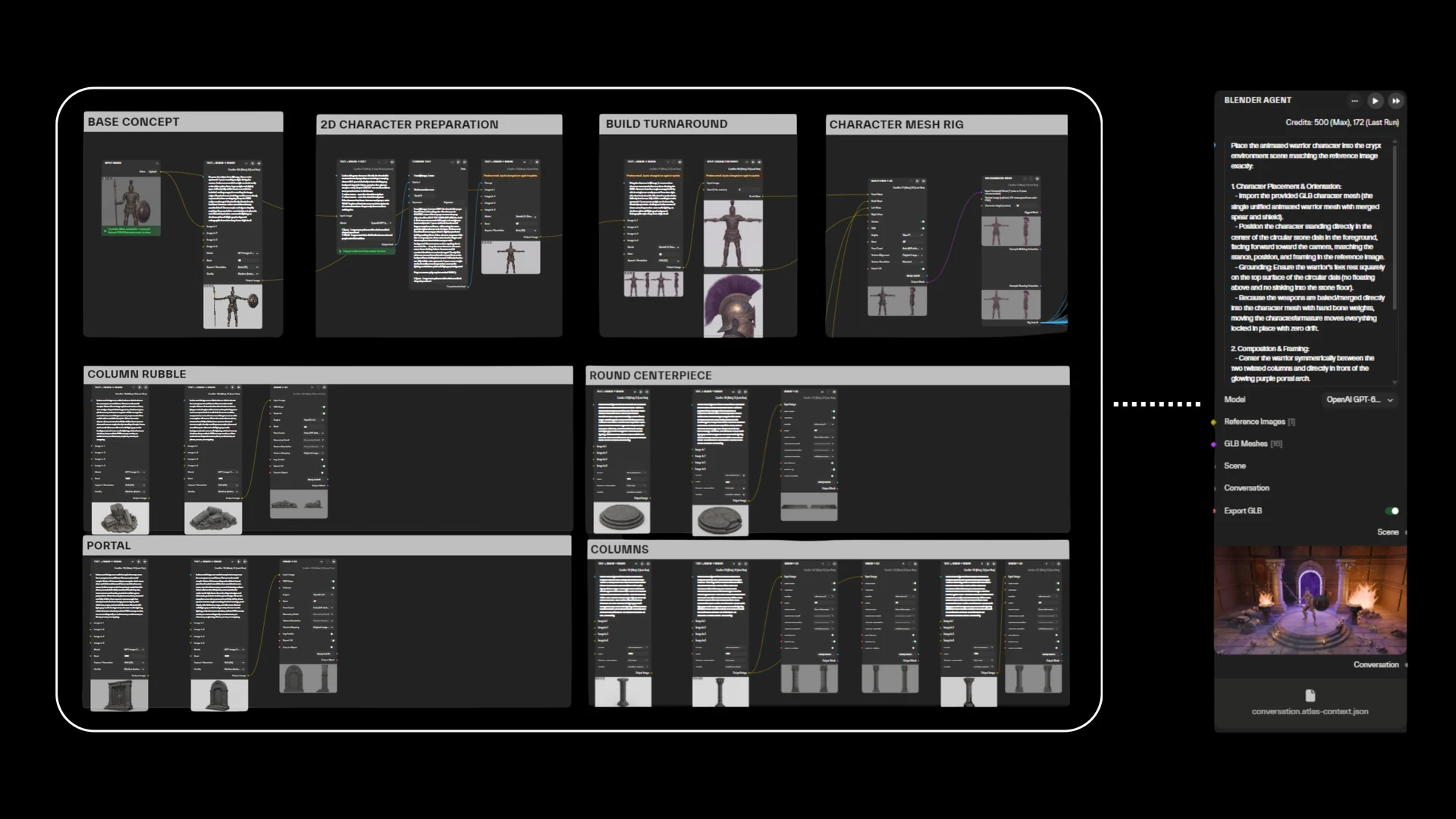
Seven chained Atlas nodes, outlined as one group, generating a 2D base concept, a turnaround sheet, a rigged character mesh, and props for column rubble, a round centerpiece, a portal and columns, all feeding into a Blender Agent node on the right
Everything generated and rigged in Atlas first, then handed straight to the Blender Agent node

Why run Blender MCP as a node on Atlas

AI tools next to the agent

Part separation (Separate Object Parts, Meshy Auto Split), retopology and PBR texturing run on dedicated AI nodes, so the agent starts from clean parts instead of guessing where to cut.

Go back and branch

Every run saves the scene and the conversation. Continue from any step, or try three ideas in parallel and keep the best.

A pipeline you can reuse

Re-run the same graph on a new model, share it with your team, or export it as an API.

Nothing to install

Blender runs in the cloud. Your machine stays free, and you can run several jobs at once from any browser.

Any model, capped cost

Choose Claude, GPT, Gemini, Grok, Seed or another model for each run, and set a credit and runtime limit. If a run hits the limit, it stops and hands back the scene so far. Unused credits are refunded.

References built in

Attach reference images and several GLB models straight to the node, or wire them in from earlier steps.

Atlas vs. local Blender MCP

Capability
Atlas Blender Agent
Local Blender MCP
Setup
None, runs in the cloud
Blender, add-on and AI client
Model-written code
Isolated sandbox per run
Runs on your machine
Part separation, retopology, PBR
Dedicated AI nodes
Blender tools and Python only
Undo and branching
Resume from any saved step
Blender undo and manual saves
Cost limit per run
Credit and runtime cap
None by default
Rendering
Serverless Cycles node (CPU)
Your own CPU or GPU
Reuse
Re-run, share, export as API
Save and re-run scripts yourself

Studios and partners on Atlas

Google CloudSquare EnixParallelPeDePeego AICyber Valley

“Atlas empowers me as an artist to prototype game environments from idea to playable level without switching between different platforms. I especially love the node-based workflow — it feels familiar coming from 3D tools, and it makes iteration non-destructive and painless.”

HL
Hanny LuPrincipal Artist · Directive Games

Common questions

Do I need Blender or a GPU on my machine?
No. Blender runs on Atlas workers in a sandbox, and renders run there too. You need a browser, or an API key if you call it from code.
Which formats go in and come out?
In: prompts, .blend scenes, GLB models, and PNG or JPEG images including PBR maps (diffuse, normal, roughness). FBX and other common mesh formats convert on upload through an Input Mesh node, and USDZ has its own converter node. Out: a .blend scene, an optional GLB, and PNG renders through the Render Blender Scene node. Procedural materials aren't baked into textures in the GLB.
Can the agent work with assets I already have?
Yes. Upload your own GLB or FBX models (other common mesh formats convert on upload) or texture packs, and the agent places, scales, textures and lights them next to anything it builds itself.
How does state carry across multiple prompts?
Each run outputs a Scene (the .blend file) and a Conversation (messages, images and tool history). Connect either or both to the next agent node: the Scene carries the 3D state, the Conversation carries the agent's memory. The two are independent, so you can continue a scene with a fresh conversation, or reuse a conversation with a different scene. The model sees the newest few images at each step (six by default), but the whole conversation stays saved. Saved results are never overwritten, so any earlier step can start a new branch.
What render settings are there?
Rendering runs on a separate Render Blender Scene node, using Cycles on CPU. Presets cover fast previews (up to 768px, 16 samples) and 1080p (64 samples), or set a custom resolution, sample count and frame. Heavy scenes may need a lower resolution or fewer samples to fit the time limit. The camera can frame the scene automatically, show an isometric overview, or take an exact position, rotation and focal length.
Can I run Cycles renders directly from the API?
Yes. Build a graph with an API Input for the scene or prompt, a Render Blender Scene node (optionally after a Blender Agent) and an API Output for the image, then export it with Export API in the project menu. The render follows the node's quality presets and its time and credit limits. You can pass file IDs you already have, such as a .blend scene, straight into the API without uploading them again.
Can I run the node from code?
Export the graph as an API from the project menu and call it with cURL, Python or CI. Long Blender runs use the async endpoint and a status poll. The workspace also connects to MCP clients; set it up under Settings → MCP (alpha), using a key from Settings → API Keys.

Build your first scene with the Blender Agent node

Free to start. Set the node's credit limit to fit your balance, then bring your own models or begin from a prompt.