Image to 3D assets for Unity
Atlas reads one reference photo and rebuilds it as five modular, engine-ready 3D kit pieces — wall, corner, floor, doorway and trim — all locked to the same materials and palette.
Four stages, one photo to a modular kit
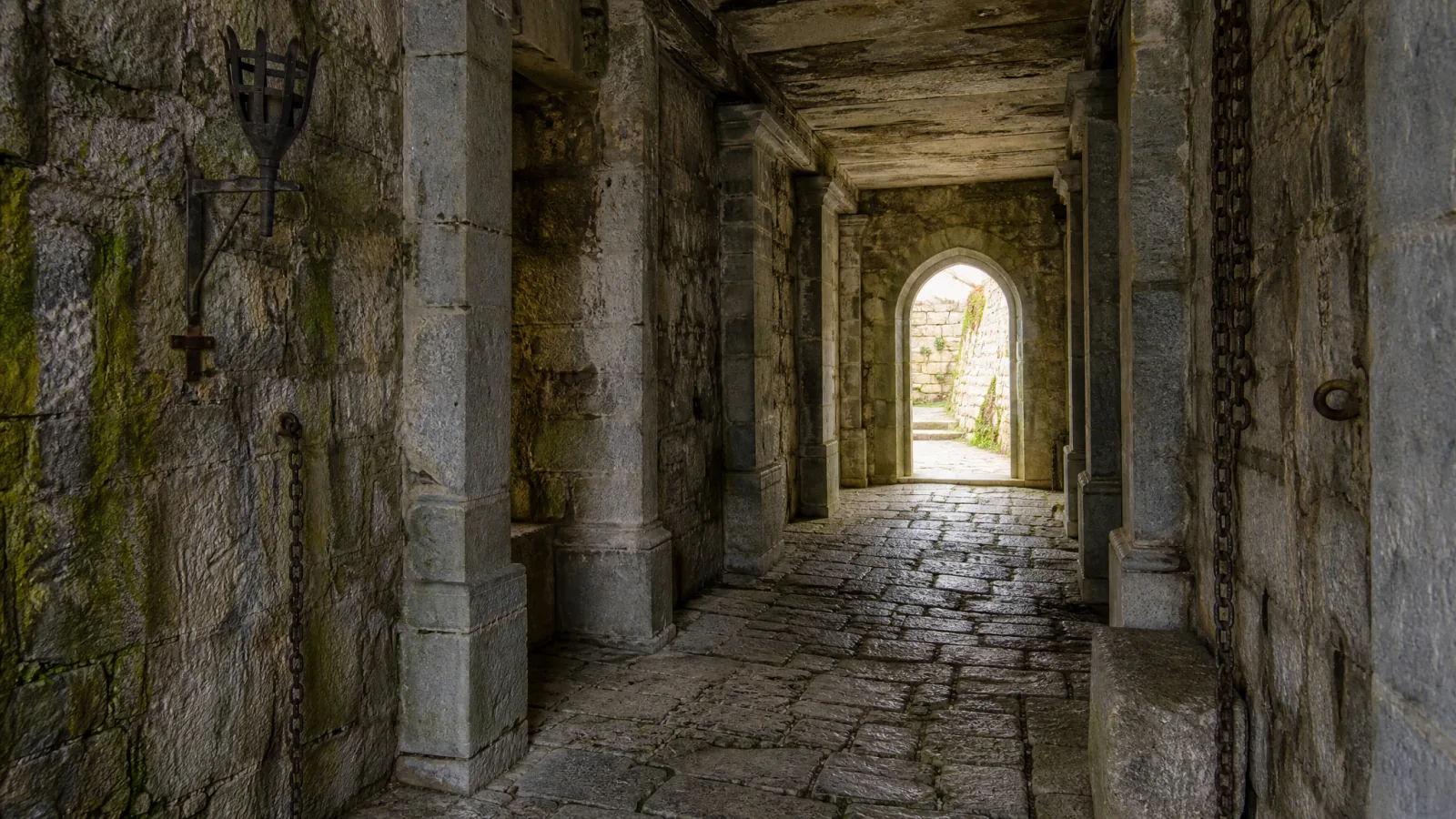
Visual deconstruction
A vision LLM inspects the reference photo’s architectural grammar — wall patterns, joints, pillar types, floor surfaces, portals and props — and outputs a numbered list of 5 isolation prompts.
Prompt fan-out
Five extractor LLMs parse the master list in parallel, each taking one numbered slot and emitting a clean isolation prompt.
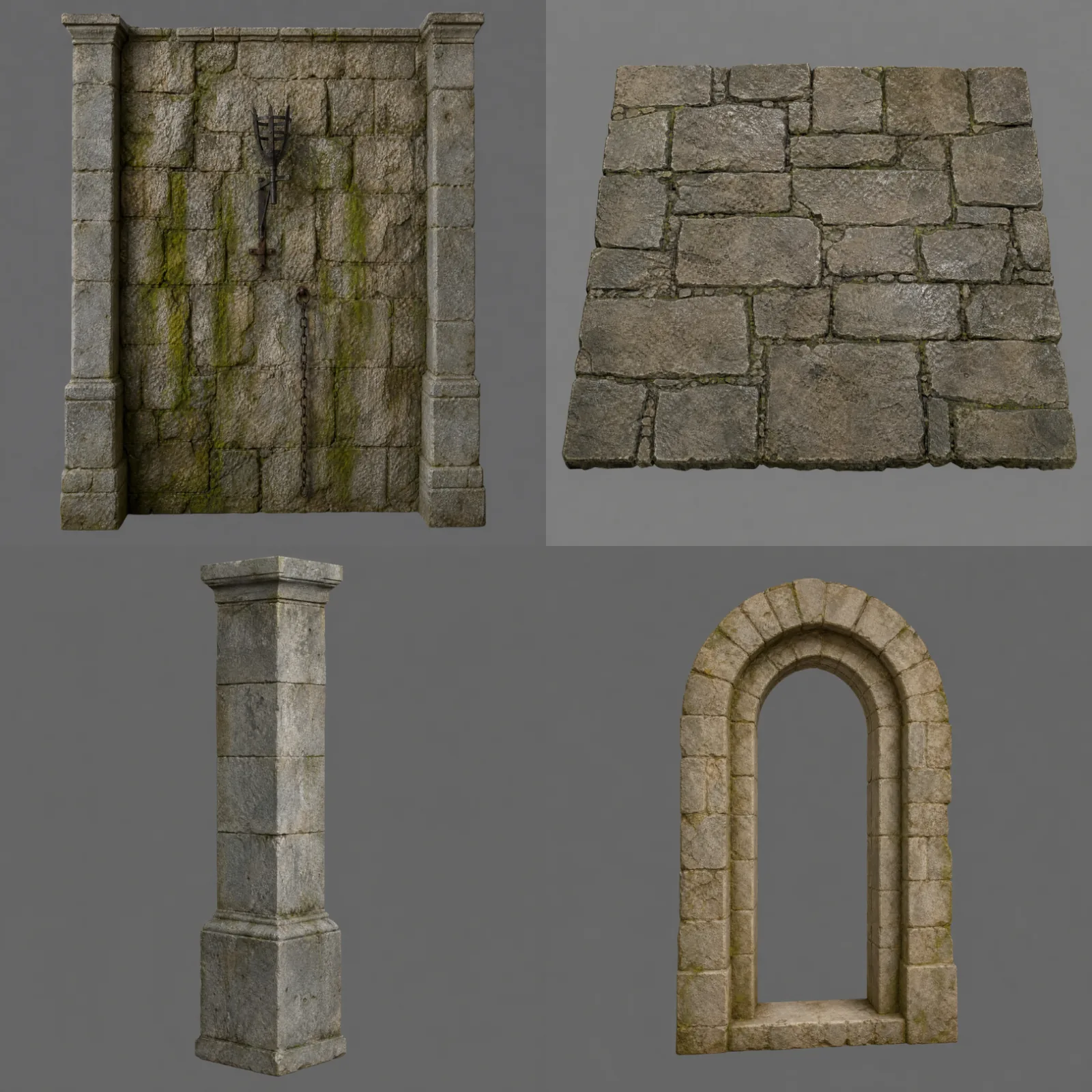
Reference-locked synthesis
Five multimodal nodes generate the individual modular pieces in parallel, locking style, texture and palette to the source photo while isolating each piece on a solid gray background.
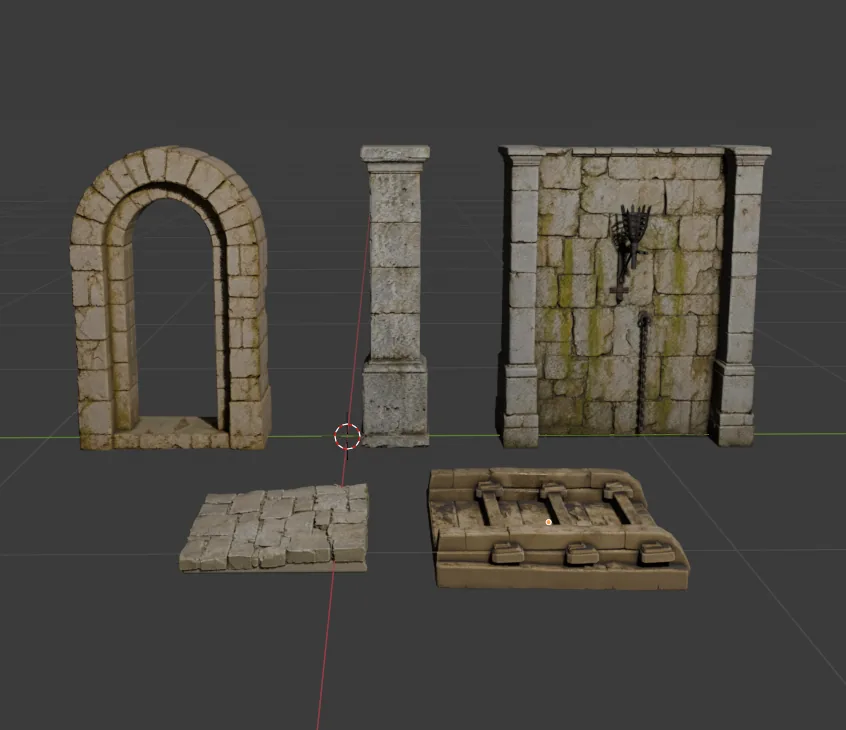
Mesh & texture generation
Five Image-to-3D nodes reconstruct each concept into a watertight mesh with full PBR texture maps.
Where the time goes
| Stage | Manual | Atlas |
|---|---|---|
| Vision analysis & prompt extraction | 3–8 hours | 5–10 seconds |
| 2D concept isolation (parallel) | 3–5 days | 20–35 seconds |
| 3D mesh & PBR texturing (parallel) | 2–3 days | 90–120 seconds |
| Total time for the kit | 1–2 weeks | 2–3.5 minutes |
Common questions
What does this workflow output?
How long does it take?
Can I control the art style?
Which engines are supported?
The stages in depth
Related workflows
Try this workflow in Atlas
Free to start. No credit card required.
Try it on Atlas