Consistent art style across AI-generated game assets
Atlas builds a style bible from your existing art, then locks every new asset request to it — so a whole catalog of props stays on one visual language instead of drifting asset by asset.
Four stages, reference set to on-style asset
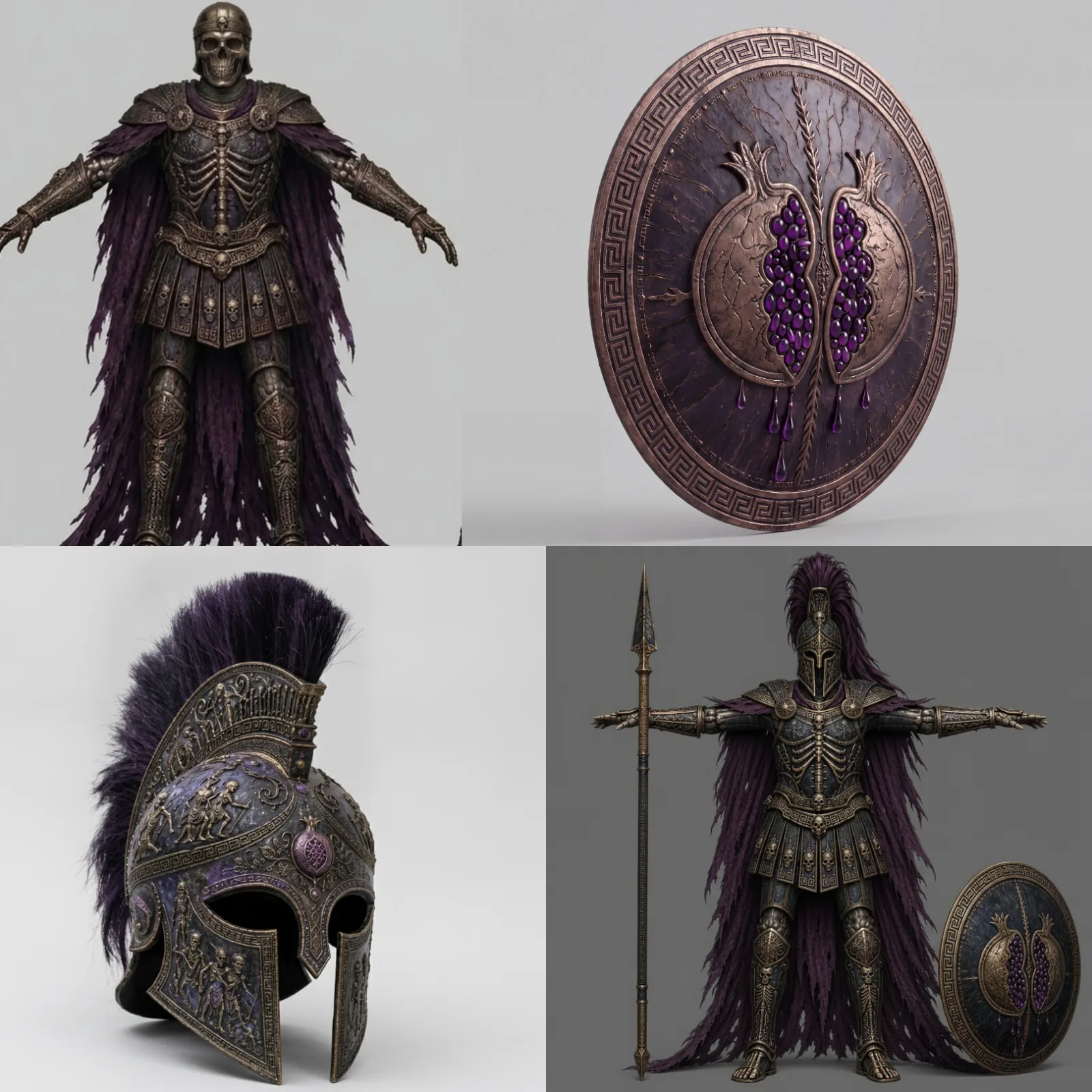
Reference ingestion
Upload your existing asset renders; a vision node breaks down rendering style, palette, materials, weathering and geometric detail across the set.
Style distillation
One LLM node distills a Surface Style Bible — material finishes, lighting, palette, decay rules. A second extracts a Motif Vocabulary of recurring surface decorations. Both combine into one shared style context.
Asset concept generation
A short prompt like "a crown" merges with the style context in a concept-designer LLM, producing a detailed, lore-compliant brief wrapped in studio staging rules — centered, neutral background, 3/4 view.
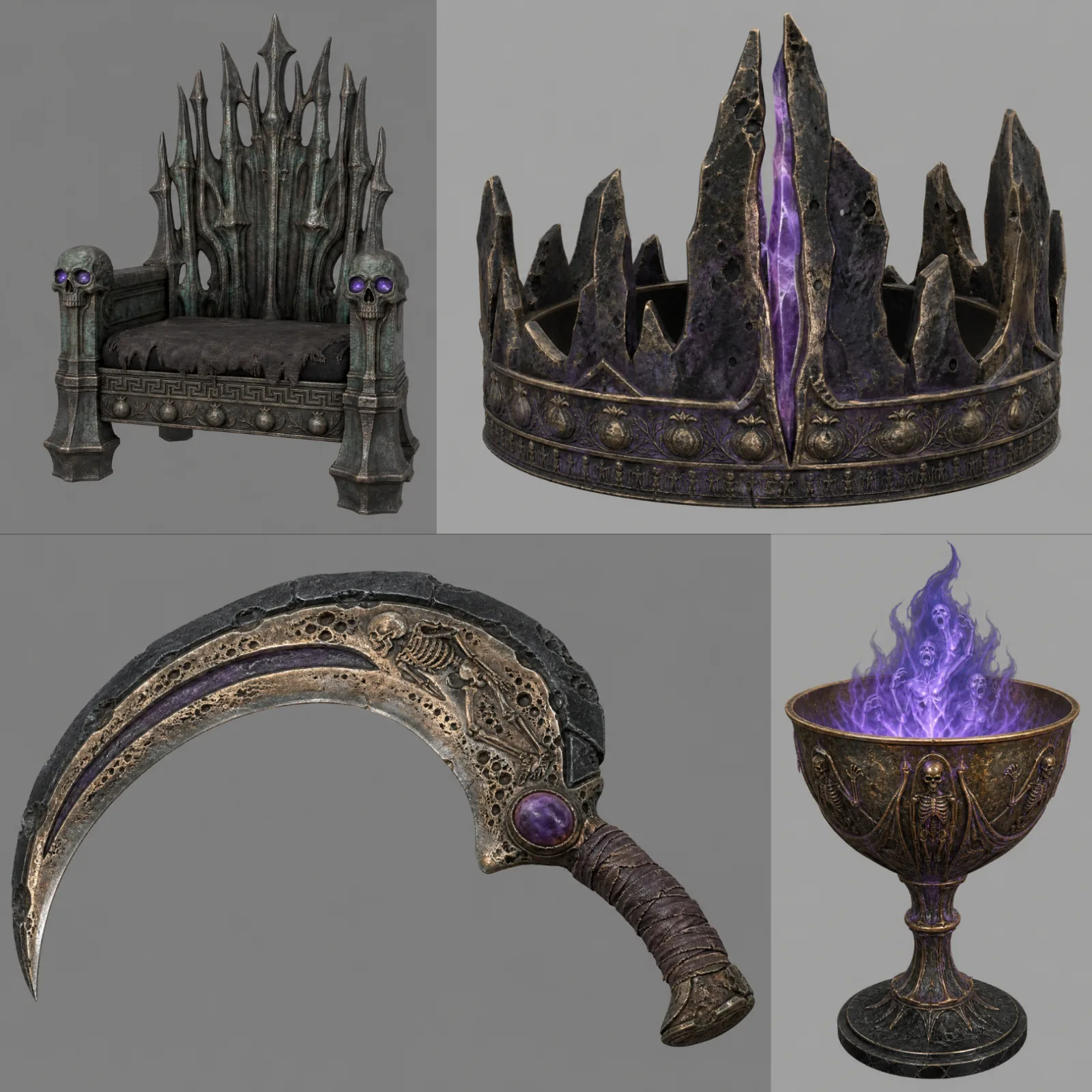
Image generation
A quality text-to-image node renders the final concept, styled and staged to match everything already in the catalog.
Why do AI-generated assets drift, and what does a style bible fix?
Assets drift because every prompt is a fresh sample. "Dark fantasy, weathered iron" describes a thousand different looks, the model picks one, and thirty props later the catalog has thirty finishes.
A style bible swaps the adjective for a specification: which metals, how they age, where the light sits, what the palette is, which motifs repeat. That text rides along on every request, so each generation works under the same rules.
You notice the difference at the edges. A one-line style prompt gets the hero piece roughly right and loses the small parts — buckles, straps, trim. The bible carries a motif vocabulary, so a goblet inherits the same engraving language as the crown. What you are after is consistency across the batch, not one great image in it.
| What the bible records | Read from your renders | What it protects on the next asset |
|---|---|---|
| Material finishes | Metals, leather, cloth and how each catches light | Same surfaces on objects the model has never seen |
| Palette | Dominant, accent and absent hues | No off-palette prop |
| Lighting and staging | Key light, background, 3/4 view | Renders that sit next to each other |
| Weathering and decay rules | Where wear appears and how heavy it is | One age across the set |
| Geometric detail | Bevel scale, ornament density | One silhouette language |
| Motif vocabulary | Recurring surface decorations | Engravings and emblems reused, not reinvented |
How does style consistency work?
This workflow builds the style context inside the graph, from a handful of reference renders, in one run.
In practice: you can use this graph to extract a style from existing art and review it, then apply the approved version to your other generations in the same project.
Carry the concepts into meshes: 2D concept art to 3D game asset →
Atlas let our artists define the style, then expanded it at a scale we could never achieve manually. It’s not replacing our team; it’s multiplying what they can do.
Where the time goes
| Stage | Manual | Atlas |
|---|---|---|
| Initial style extraction (once, cached after) | 2–6 weeks | 10–25 seconds |
| Per-asset generation | 4–8 hours | 10–30 seconds |
Common questions
What does this workflow output, 2D or 3D?
How long does style extraction take?
Can I change the style after the bible is extracted?
Which image models render the concepts?
How many reference renders does the extraction need?
Does the style bible work for 3D assets as well?
Who signs off on the style bible?
Related workflows
Try this workflow in Atlas
Free to start. No credit card required.
Try it on Atlas