Meshy v7 and v6 inside an Atlas 3D pipeline
Meshy on Atlas is one of the vetted models on the canvas, not a separate tool you switch to. The catalog carries eight Meshy nodes: v6, v6 Lowpoly, v6 Quad and v7 for generation, plus Remesh, Texture v5, Texture v6 and Rigging for processing.
The agent wires them for you, or you do it by hand. Either way they sit in a graph that runs a language model, an image model and a reconstruction step with fallbacks, then retopology to budget, UVs, PBR, rig, LODs and GLB export, with provenance on every asset.
Try it on AtlasLast checked 14 September 2026
What does Meshy do inside an Atlas workflow?
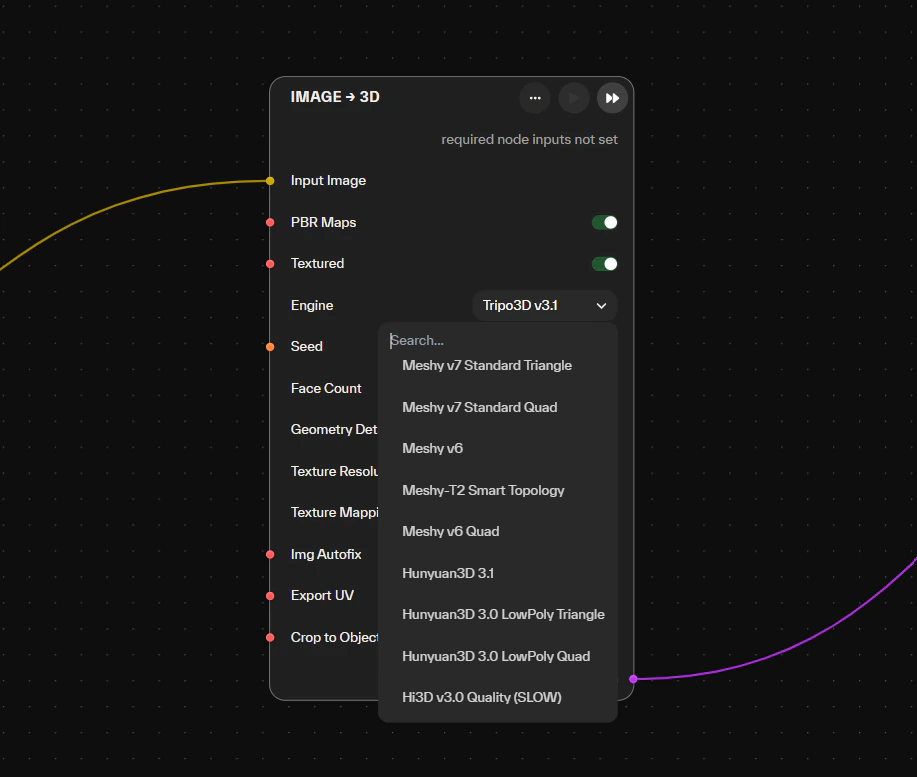
Meshy runs as a backend on Atlas mesh nodes. Under 3D · Generation you will find Meshy v6, v6 Lowpoly, v6 Quad and v7; under 3D · Processing & Materials, Meshy Remesh, Texture v5, Texture v6 and Rigging. All eight are marked enterprise-ready. The Multi-View → 3D node names Meshy v6 among its backends, and Image → 3D (With Fallback) can try up to four backends in sequence.
The Lowpoly and Quad variants exist because topology is a pipeline decision. The Atlas docs point real-time targets at low-poly or stylized backends and sculpting or retopology work at quad output. The processing nodes remesh, texture or rig an asset that already exists, as one step inside a larger graph. Every model in the catalog is on every paid tier; the live list sits on the AI models page.
What Meshy does on its own, as of September 2026:
- Meshy 7 is the current generation model, with Meshy 6 from 2025 still available. Atlas lists them as v7 and v6.
- Text-to-3D, image-to-3D, PBR texturing, auto-rigging and animation, exporting to FBX, GLB, OBJ, USDZ, STL and 3MF.
- An API, plus plugins for the major engines and DCC tools.
Source for the three points above: docs.meshy.ai and meshy.ai, read 14 September 2026.
Why chain Meshy with other models instead of running it alone?
One generation gives you one mesh from one input. A game asset needs more than that. It needs a prompt that matches the brief and a concept that matches the art direction. It needs a mesh that still arrives when the first backend chokes on the input, topology at the platform budget, UVs, PBR maps, often a rig and LODs.
Atlas gives each of those its own node, so Meshy does the part it is good at and the models around it cover the rest. A typical image-to-3D graph:
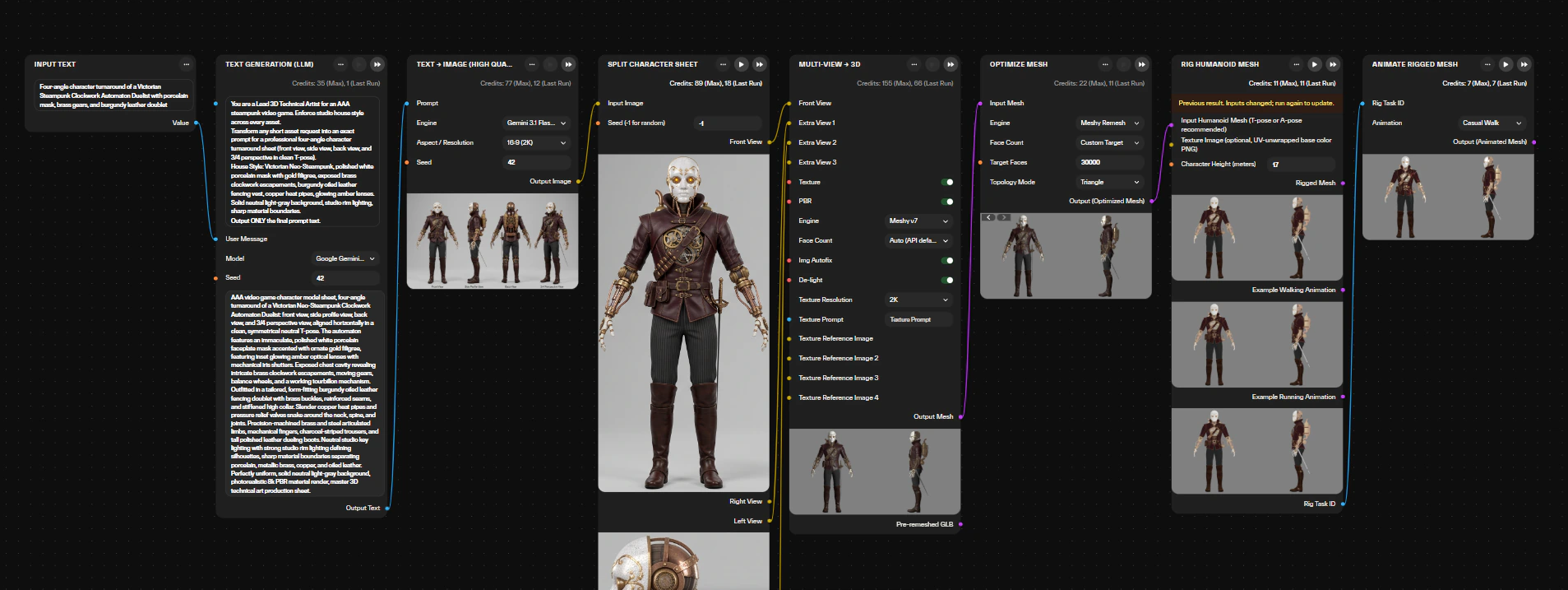
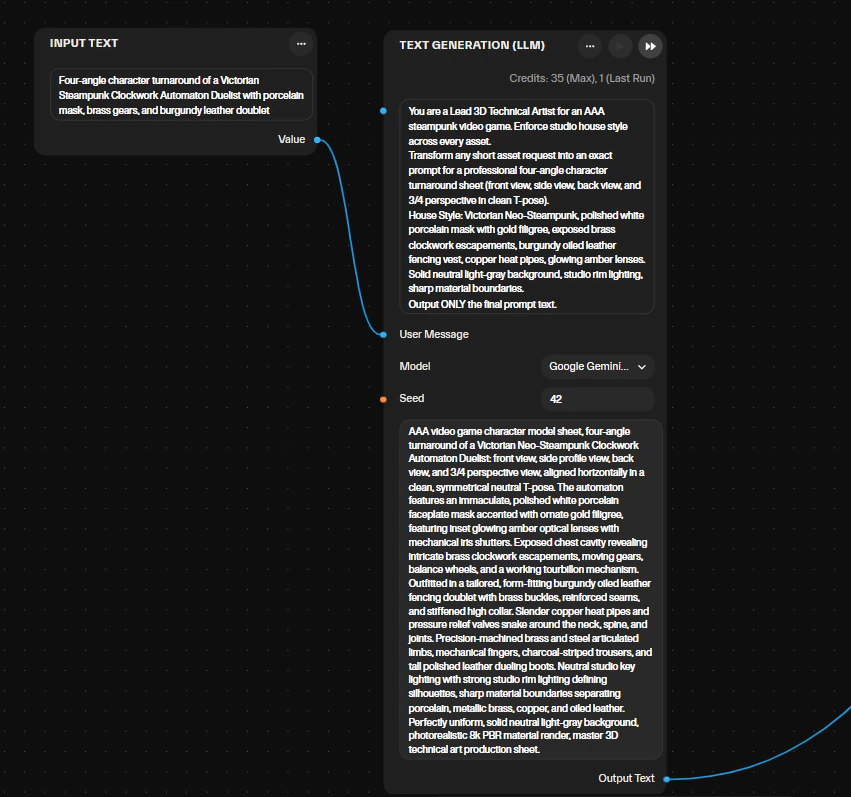
- A language model node turns a one-line request plus your project context into the prompt. A system prompt on that node holds one house style across every asset.
- An image model renders the concept, or a four-angle turnaround for characters.
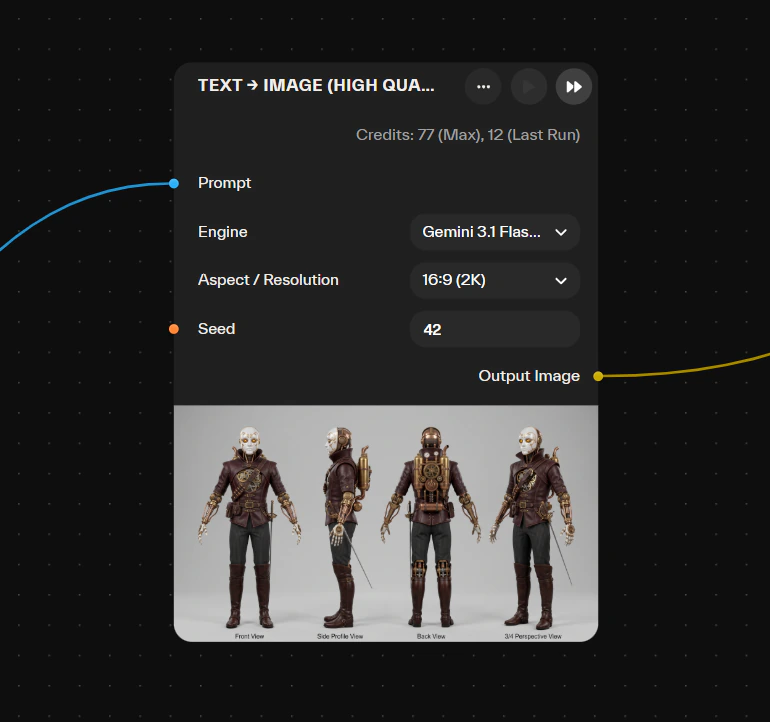
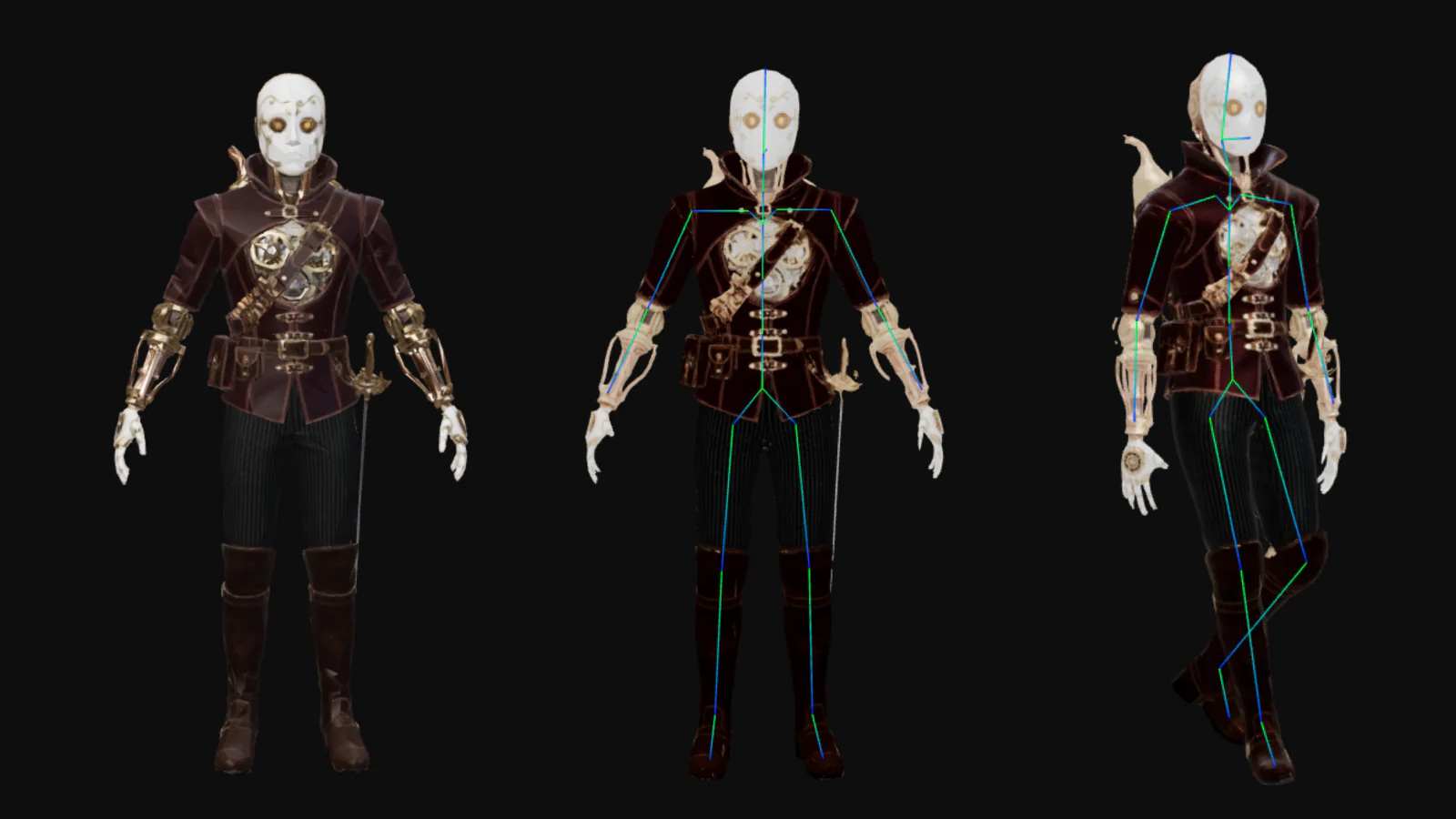
- Reconstruction runs on Meshy, or on a chain. The homepage example rebuilds an A- or T-posed character sheet with a fallback chain across Tripo3D, Meshy and Hunyuan3D, then optimizes it to budget.
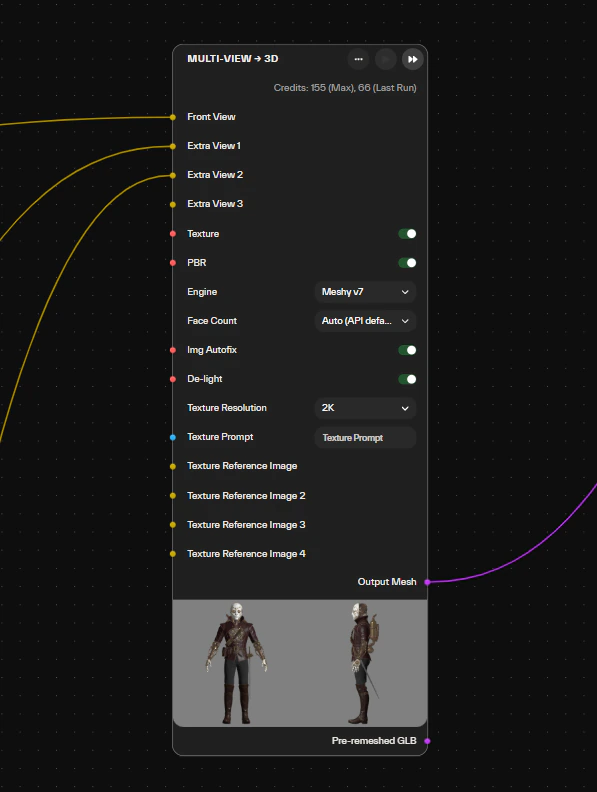
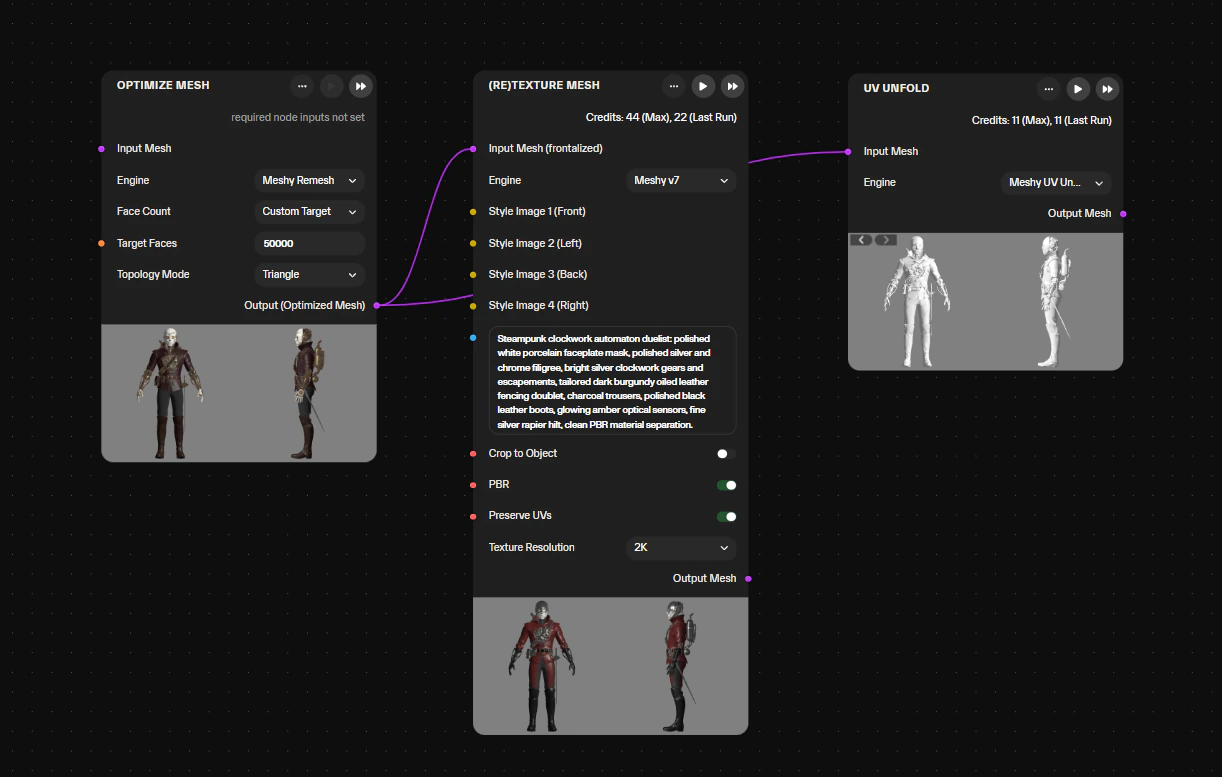
- Retopology and decimation bring the mesh to the triangle budget you set.
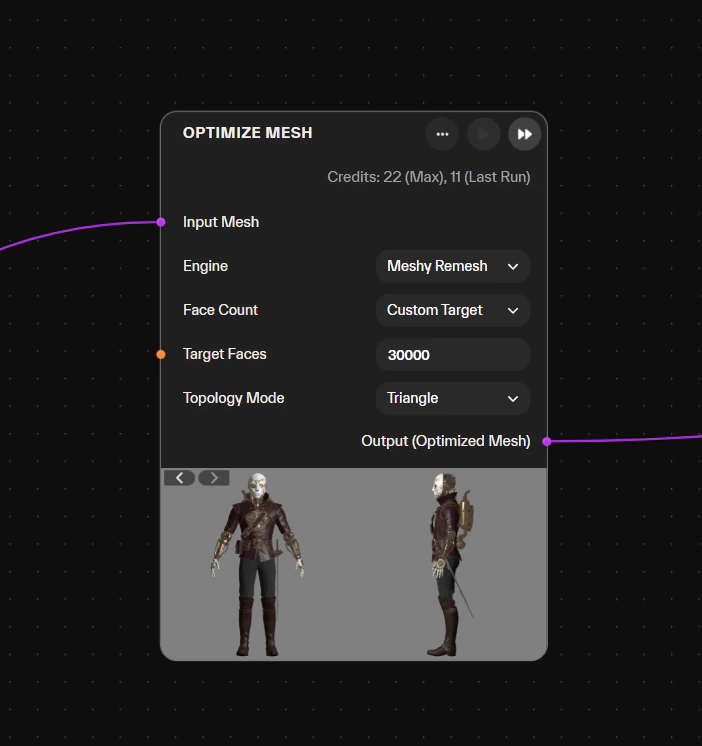
- UVs are unwrapped in the run. Base color, roughness, metallic and normal maps bake, with height and ambient occlusion where the workflow builds them.
- Meshy Rigging or Rig Humanoid Mesh adds a humanoid skeleton with skinning weights, in the same GLB. Animate Rigged Meshy (Meshy) applies hundreds of actions from the Meshy animation catalog (walks, runs, combat, dances, idle gestures) to a character rigged with Meshy.
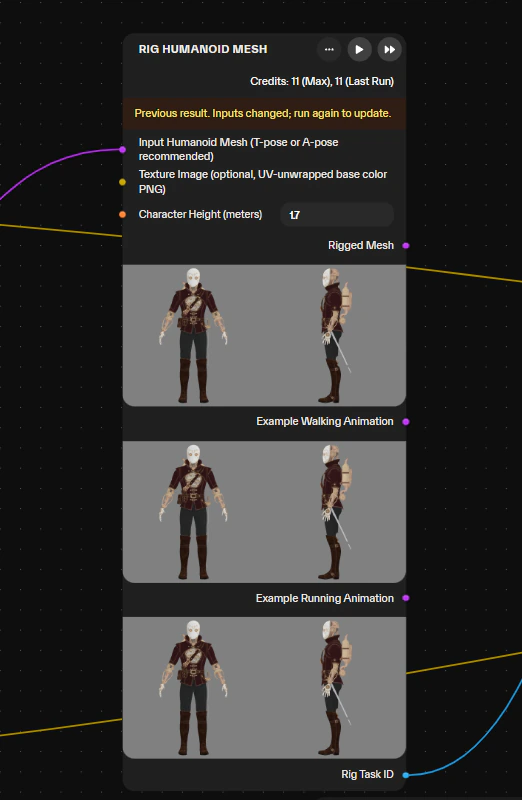
- Export writes the GLB with PBR embedded, LODs where the workflow builds them, and a verifiable history that travels into the engine. Style, specs and rules live in the graph, so the next asset matches the last one.
When does the agent pick Meshy, Tripo3D, Hunyuan3D or Titan v1?
Atlas does not publish a per-model routing table, and this page will not invent one. What is documented: every model in the library is benchmarked for quality and IP safety so the agent can match a use case to the right model. The agent sets hyperparameters, and when a workflow produces weak output it proposes concrete node changes, including a different backend or an extra pre- or post-processing step. Anything it picks can be overridden on the canvas.
The documented rule of thumb is about output type rather than vendor. Low-poly or stylized backends for real-time targets. For hero assets, generate high-detail, retopologize to a low-poly target and bake the detail down. Image → 3D (With Fallback) covers inputs that fail on one backend. The same 3D · Generation category holds Tripo3D v3.1, TRELLIS 2, Hunyuan3D 3.1 and Titan v1, Atlas’s in-house model, and you can swap engines mid-graph without rebuilding anything downstream.
One-shot generation, and the same model inside an Atlas workflow
Meshy is the same model in both columns and generates the same way. What changes is what Atlas builds around it: the nodes that run before and after the generation step.
Meshy’s own remesh, texturing and rigging exist both as Meshy products and as Atlas nodes. The right-hand column lists what Atlas adds around the model, not features Meshy lacks or a stronger version of Meshy.
What comes out the other end?
A GLB with the PBR materials embedded on the mesh, retopologized and decimated to a triangle budget you set. Typical targets: mobile around 5k tris with 1K textures, console around 20k with 2K, PC around 50k with 2K. Maps are base color, roughness, metallic and normal, plus height and ambient occlusion where the workflow bakes them. Character workflows return a humanoid skeleton with skinning weights and basic animation clips in the same file.
LODs come out where the workflow builds them, roughly 5k / 3k / 1k triangles on the WebGL pipeline and 20,000 / 7,500 / 2,500 faces on the UEFN kit. FBX comes out where the platform expects it. Targets include Unity, Unreal Engine 5, Godot, Roblox Studio, UEFN and WebGL frameworks.
About the scope: this is prototyping, art-direction iteration and player-driven content. Assets from Atlas have shipped in games, and nothing here claims to skip a polish pass.
Which workflows already use image-to-3D reconstruction?
Five live workflows put a reconstruction model at the center of the graph. Each page shows its node graph, stages, timings and an embedded run.
The full catalog is on the workflows hub.
How are credits and licensing handled?
Meshy nodes bill like every other model in the library: from the studio’s pooled credits, on any paid plan, with unlimited seats. Pro is €50 a month for 5,000 credits, Studio €200 for 25,000, Enterprise from €2,000 with a custom pool. Overage runs €0.01 per credit and annual billing takes 20% off. A full workflow with retopology, UVs and PBR uses 15 to 25 credits.
Output is yours under a commercial license by default, and uploaded references never train any model. Models flagged IP-risk stay off enterprise tenants by default; all eight Meshy nodes are enterprise-ready. Plans differ in credits, integrations, controls and security, never in model access. Details on the pricing page.
Global Rescue covers every city in the world… Atlas let our artists define the style, then expanded it at a scale we could never achieve manually. It’s not replacing our team; it’s multiplying what they can do
Common questions
Is Atlas a Meshy alternative?
Which Meshy versions are on the Atlas canvas?
Can I use Meshy’s remesh, texturing and rigging inside Atlas?
What happens when Meshy fails on an input?
Is the output game-ready?
Try Meshy inside a full pipeline
Pick a workflow on the hub, or start from a blank canvas and let the agent build the graph. Your models, your direction, your pipeline.
Sign Up