AI retopology for game assets
A 3D generator hands you a dense, uneven mesh. Retopology rebuilds it into something an engine can render at frame rate. On Atlas that happens inside the workflow rather than in a separate tool: the mesh comes back decimated to a triangle budget you set, UVs unwrapped, PBR maps baked on, exported as GLB. Where the workflow builds LOD tiers, you get those too.
Try it on AtlasLast checked 14 September 2026
What is AI retopology?
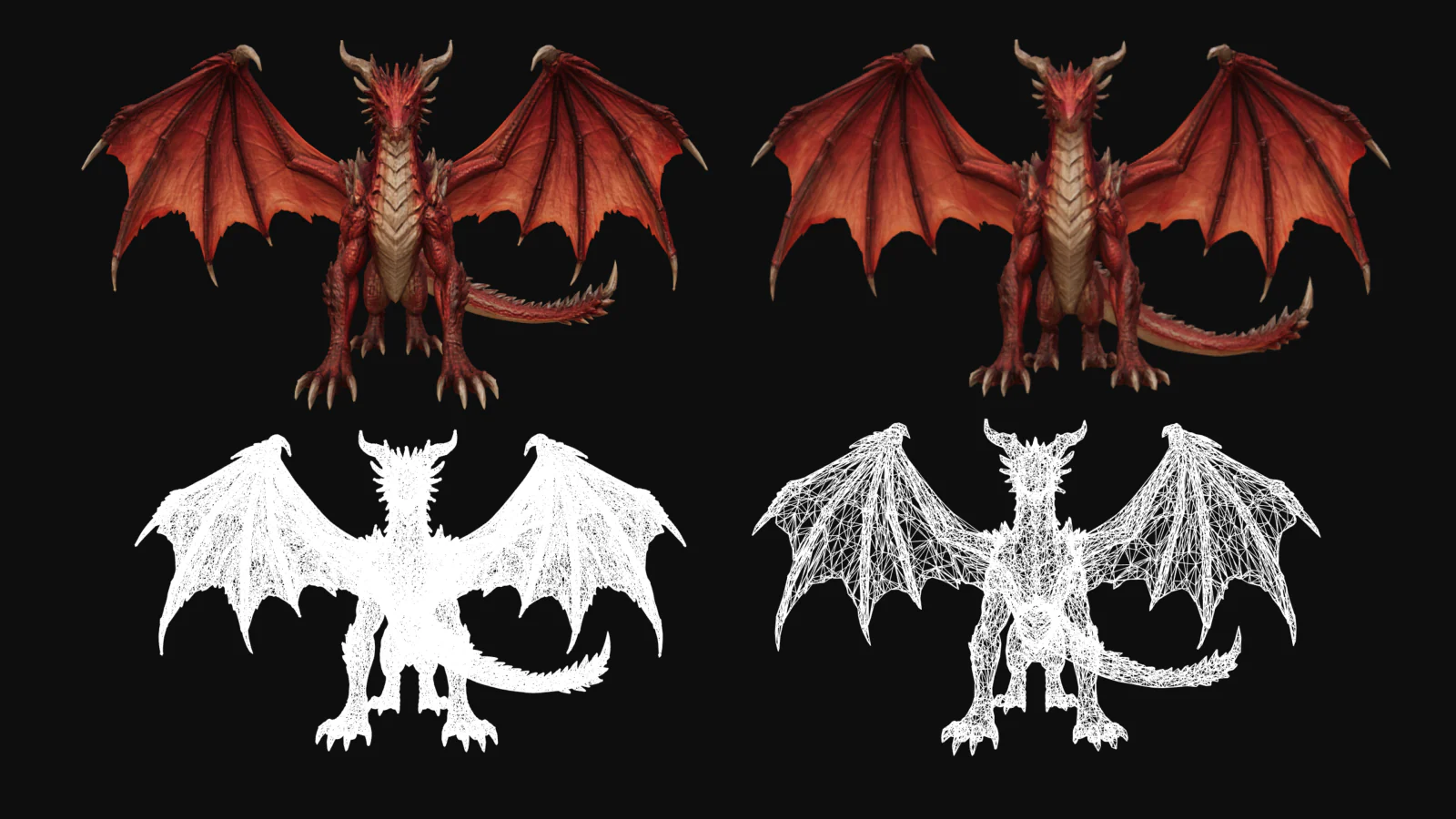
Retopology rebuilds a mesh’s polygon layout while the shape stays put. By hand that means drawing edge loops, and on a detailed asset it is an afternoon. AI retopology hands the job to remesh and decimation models instead.
On Atlas it is one node in a graph and runs in seconds: 30 to 60 on the AI 3D asset pipeline workflow, 15 to 30 for remeshing and UV unwrapping on the 2D to 3D game asset workflow.
Why do generated meshes need retopology before engine import?
Reconstruction models output dense, uneven triangles, usually well past what a real-time scene can afford. Fewer polygons render faster, and engines put hard ceilings on top of that. Roblox rejects individual meshes above 20,000 triangles. Unreal’s mobile guidelines keep a whole scene at or under 500k triangles per view.
Skip the stage and you have a mesh that looks right in a viewer and falls over at import: too heavy for the frame budget, with no UV layout worth texturing against.
Sources: Unity Manual, Modeling characters for optimal performance, Roblox modeling specifications and Unreal Engine performance guidelines for mobile, all read 14 September 2026.
How does retopology run inside an Atlas workflow?
The graph wires an Optimize Mesh node between reconstruction and export to retopologize the high-poly mesh to a target polygon count and unwrap UVs in the same run, with an optional Bake High Poly to Low Poly node downstream whenever surface detail needs to be baked down into base color, roughness, metallic, and normal maps.
The budget is a node setting, not something you ask for in a prompt, so the next run returns the same mesh. Once the graph works, publish it as a versioned API.
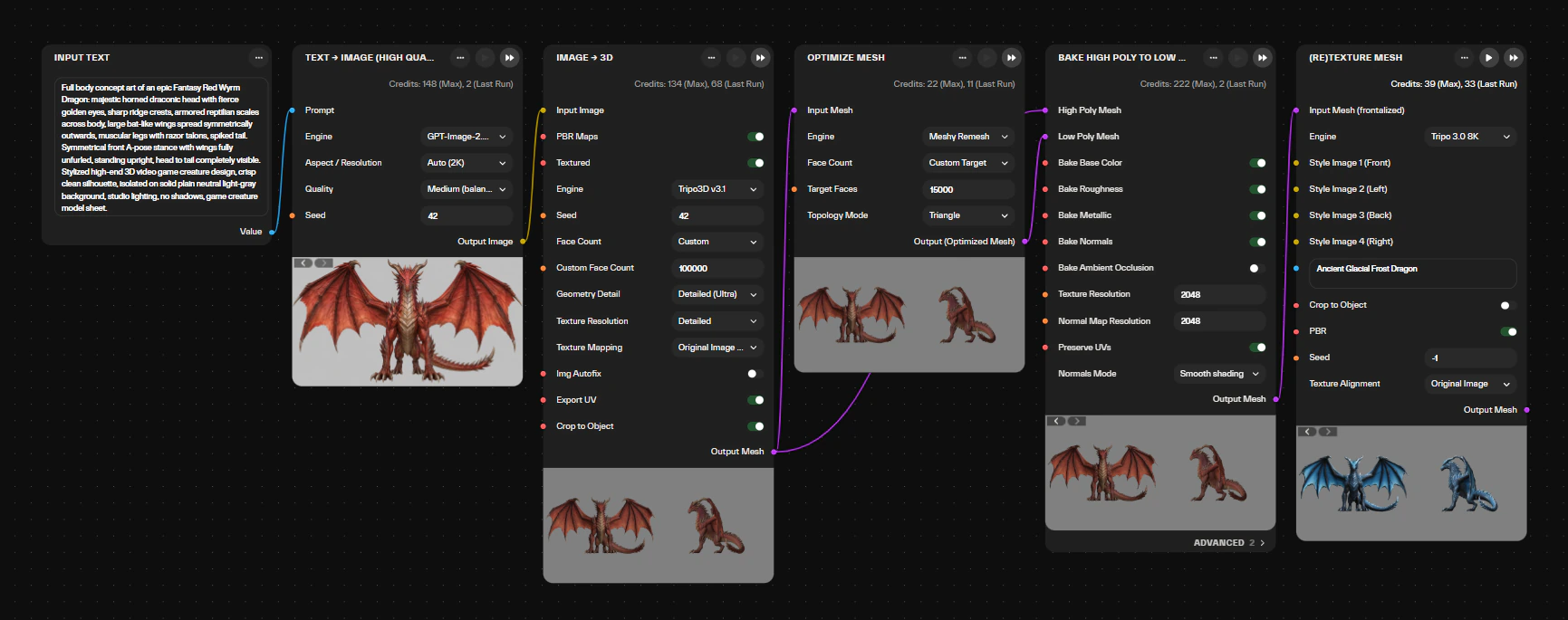
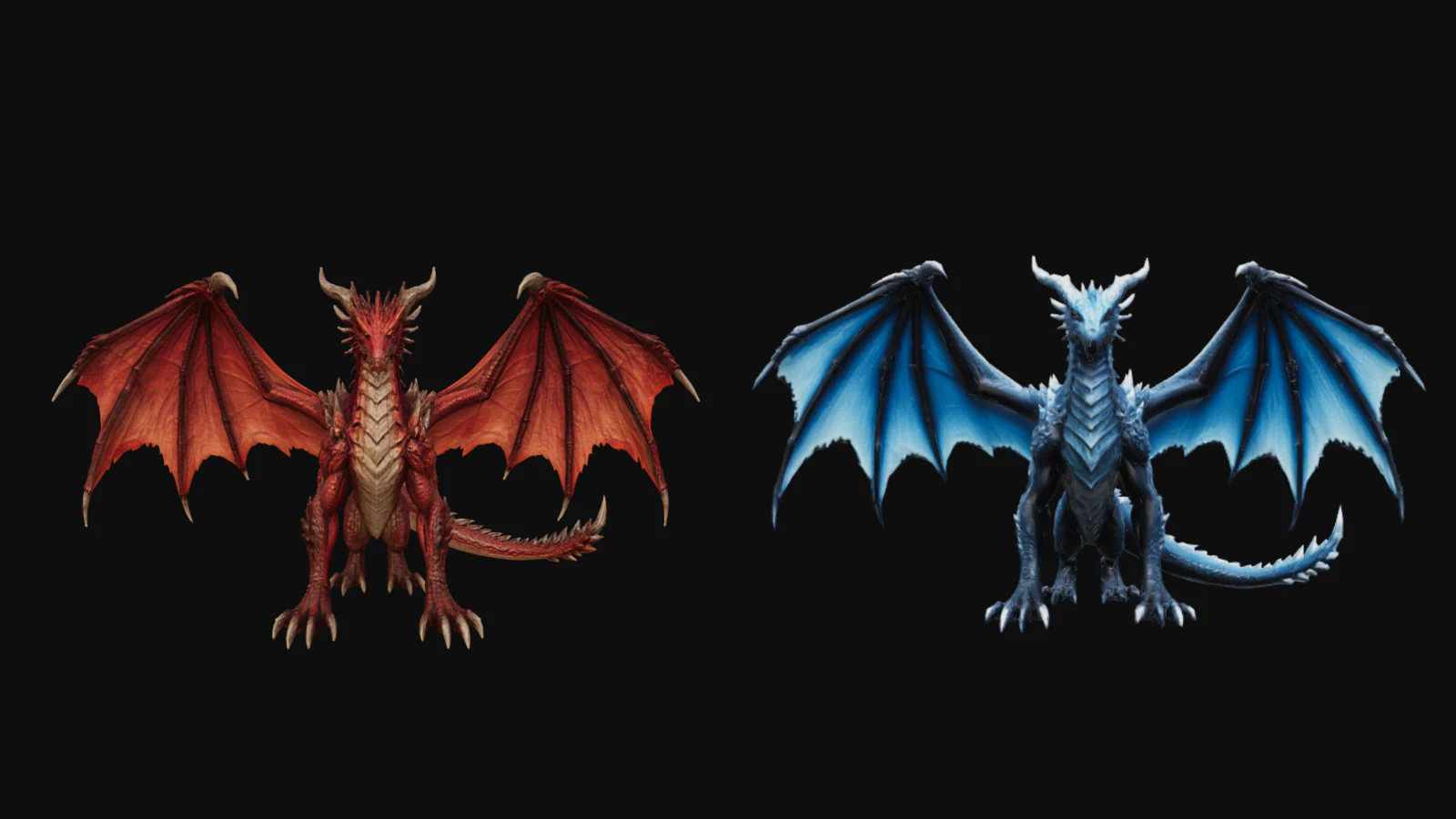
Four live workflows show the stage in place:
The remesh and decimate nodes these graphs use sit in the processing section of the model library, Atlas Remesh and Simple Decimate among them. A workflow can also start from a mesh you already have.
Quad or triangle output: which one, and when?
Triangles are what the engine renders, so a static prop decimated to budget as triangles is the short route. Quads earn their keep when the mesh has a life after export. Rigs deform more predictably along quad edge loops, and anyone adding a polish pass wants quads to subdivide. The model library carries both kinds of node: low-poly triangle generators and remesh nodes alongside quad-output ones. Decide by what happens to the mesh after it leaves, then set the budget on the node either way.
What triangle budgets should you set per platform?
Budget for the platform the asset ships on, not for the most the generator can produce. The Atlas workflow catalog works to three targets: around 5k triangles with 1K textures on mobile, around 20k with 2K on console, around 50k with 2K on PC. Those are starting points for a prototyping pipeline. A hero asset, or a title with its own performance spec, gets its own number. Engine limits sit on top, like Roblox’s 20,000-triangle cap per mesh.
Targets and LOD tiers come from the Atlas workflow catalog. The LOD examples are grouped by the size of their top tier, not by engine. For the stage in its full pipeline context, see the AI 3D asset pipeline guide.
What comes out: GLB, UVs, PBR, LODs
GLB with the PBR materials embedded, or FBX where the target platform expects it, as on the UEFN kit. Maps are base color, roughness, metallic and normal, plus height and ambient occlusion where the workflow bakes them. UVs are unwrapped during the run. LOD tiers come out where the workflow builds them, and character workflows add a humanoid skeleton with skinning weights and basic animation clips to the same GLB. The file drops into Unity, Unreal Engine 5, Godot, Roblox Studio, UEFN and WebGL frameworks, and opens in Blender, Maya, 3ds Max and Cinema 4D.
Atlas empowers me as an artist to prototype game environments from idea to playable level without switching between different platforms…
Common questions
Can I set the triangle budget myself?
Does retopology keep the textures?
Can Atlas retopologize a mesh I already have?
How long does the retopology stage take?
Will the same workflow give the same mesh next time?
Is the retopologized output production-final?
What does it cost to run?
Put retopology into the pipeline
One graph from prompt to engine-ready GLB, retopologized to your budget. Open a workflow, run it, rewire the nodes.
Sign Up