The AI 3D asset pipeline, explained
An AI 3D asset pipeline is a fixed sequence of generation and optimization stages that turns a brief into an engine-ready 3D asset: concept image, 3D reconstruction, watertight cleanup, retopology to a triangle budget, UV unwrap, PBR texturing, a rig for characters, LODs, and a GLB export with provenance attached.
Every stage produces something the next one needs. Skipping one does not save time. It moves the failure downstream, usually to engine import or to the first review with the art director.
Try it on AtlasLast checked 14 September 2026
Why a pipeline rather than a single generator
This guide walks the stages in order, at mechanism level: what each produces, what breaks when it is missing, and the numbers engines actually expect. The worked example is The AI 3D asset pipeline for game production. The full catalog, and the case for running a pipeline at all, lives on the AI 3D workflows hub.
A generator returns one mesh per prompt. A pipeline returns the same mesh every time the graph runs with the same inputs, retopologized to your budget, textured to the art direction on file, and exported with a history the engine can read. Repeatability, art direction, output budget, provenance. That is what a studio pays for, and none of it lives inside a single model.
The twelve stages, and what breaks without each one
Read the table top to bottom as a dependency chain: a stage can only consume what the stage above it produced. The typical targets are the ones the Atlas workflows are tuned to. Your real numbers come from your engine, your platform and your frame budget, and they belong in the brief before anything is generated.
The brief is the spec sheet everything else reads
Target engine, triangle budget, texture resolution, the style references the art director approved, the scale and pivot conventions the engine expects. On Atlas that context lives in the graph — the node system prompts and the references attached to the run — so every run inherits it instead of restating it per prompt. Without it, budgets get set after the mesh exists and the whole chain runs again.
One concrete convention: the UEFN kit scales to a 512 cm grid with a bottom-center pivot. That is a brief-level fact. A mesh arriving without it gets placed by hand, one asset at a time.
Why generate a concept image before any mesh?
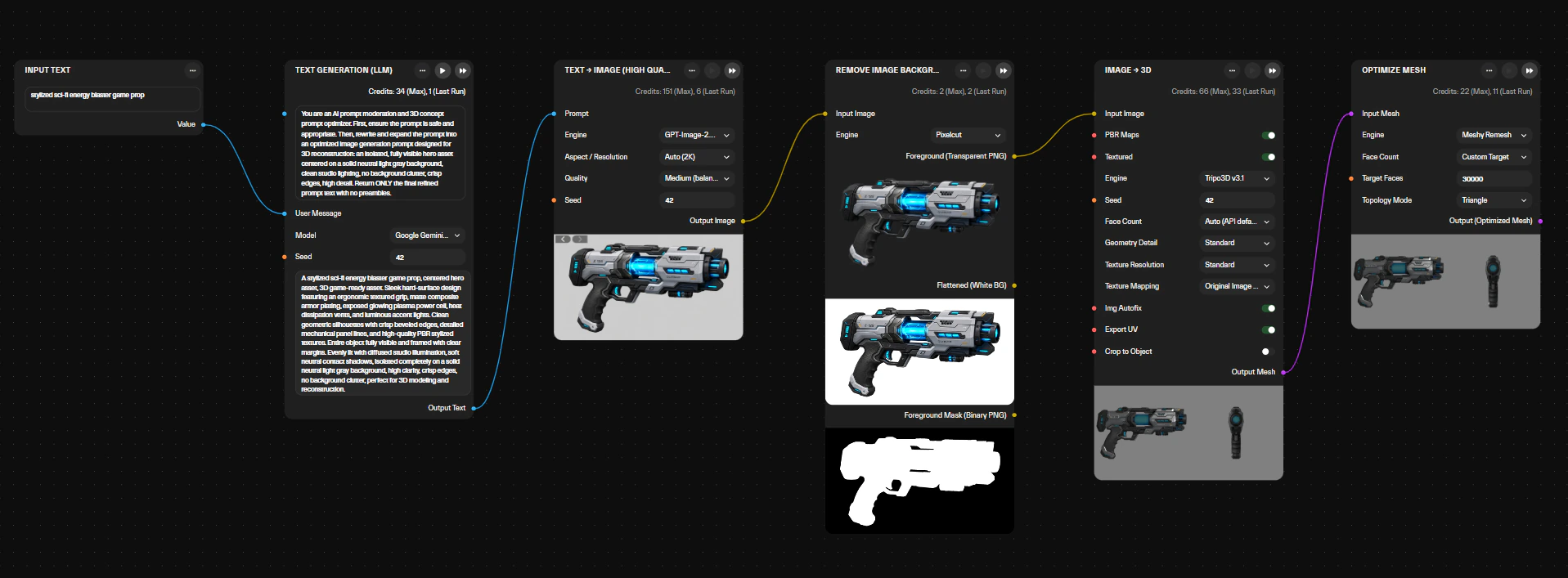
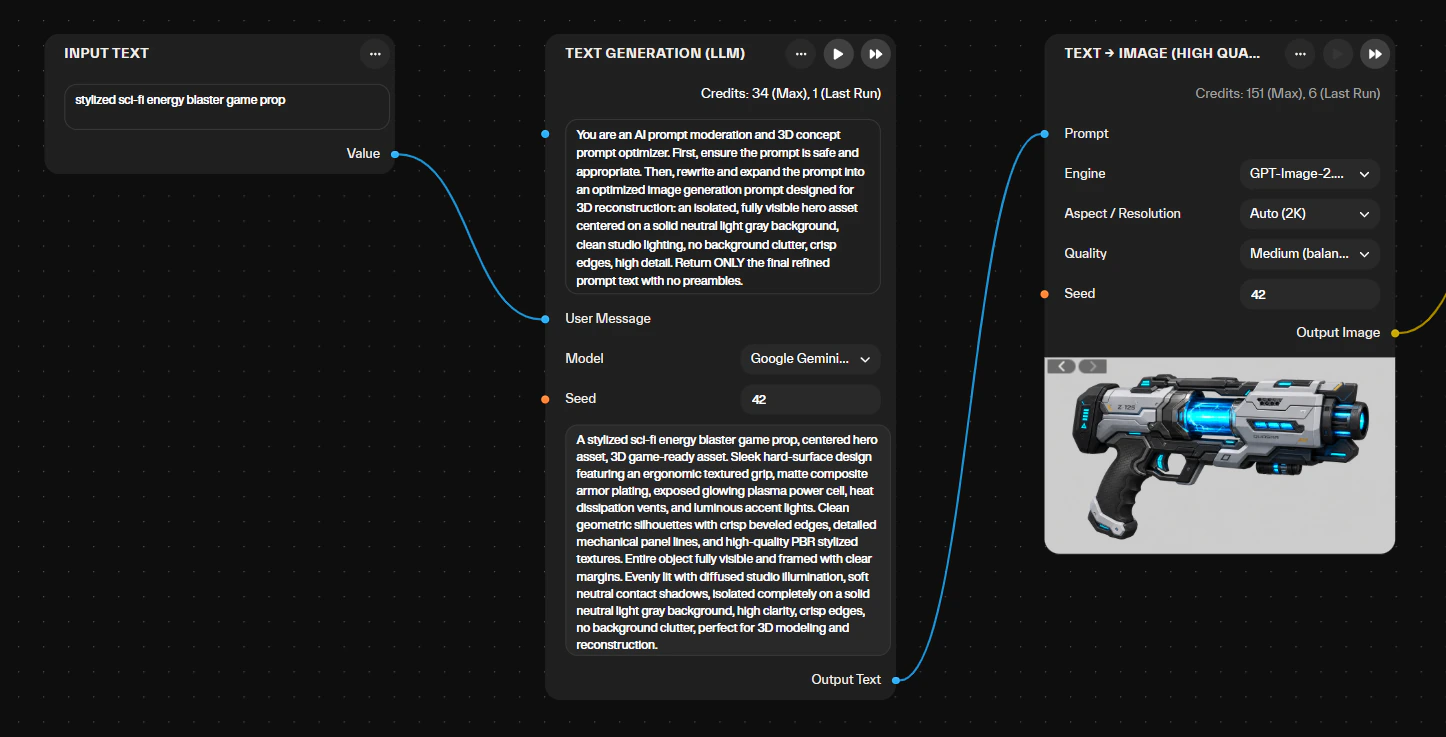
The concept render is the cheapest place in the pipeline to change your mind about the art direction. On the demo workflow a 2D lookdev render takes 15 to 30 seconds. Reconstruction takes one to two minutes and texturing another one to two. Approve the look in 2D and the expensive stages run once. Skip it and the art director reviews a textured mesh, rejects the material treatment, and reconstruction, retopology and the bake all repeat.
The render gets reused later anyway: the PBR bake references it, so the finished mesh looks like the image that was approved rather than like a fresh prompt.
How does 3D reconstruction turn an image into a mesh?
A reconstruction model reads the concept image, infers the geometry it cannot see, and emits a dense, unstructured triangle mesh with rough surface color. The library carries several of them, including Atlas’s own Titan v1, and a workflow can chain them as a fallback so a failed run retries on the next model. What comes out is a starting point with no budget, no clean edge flow and no usable UVs.
Three things go wrong here: fine detail melts, symmetry gets invented on asymmetric objects, and the backside is a guess. A concept that reads clearly from the front and side, on a neutral background, reduces all three. That is the other reason the concept stage exists. The models in play are listed on the AI models page.
What watertight cleanup fixes
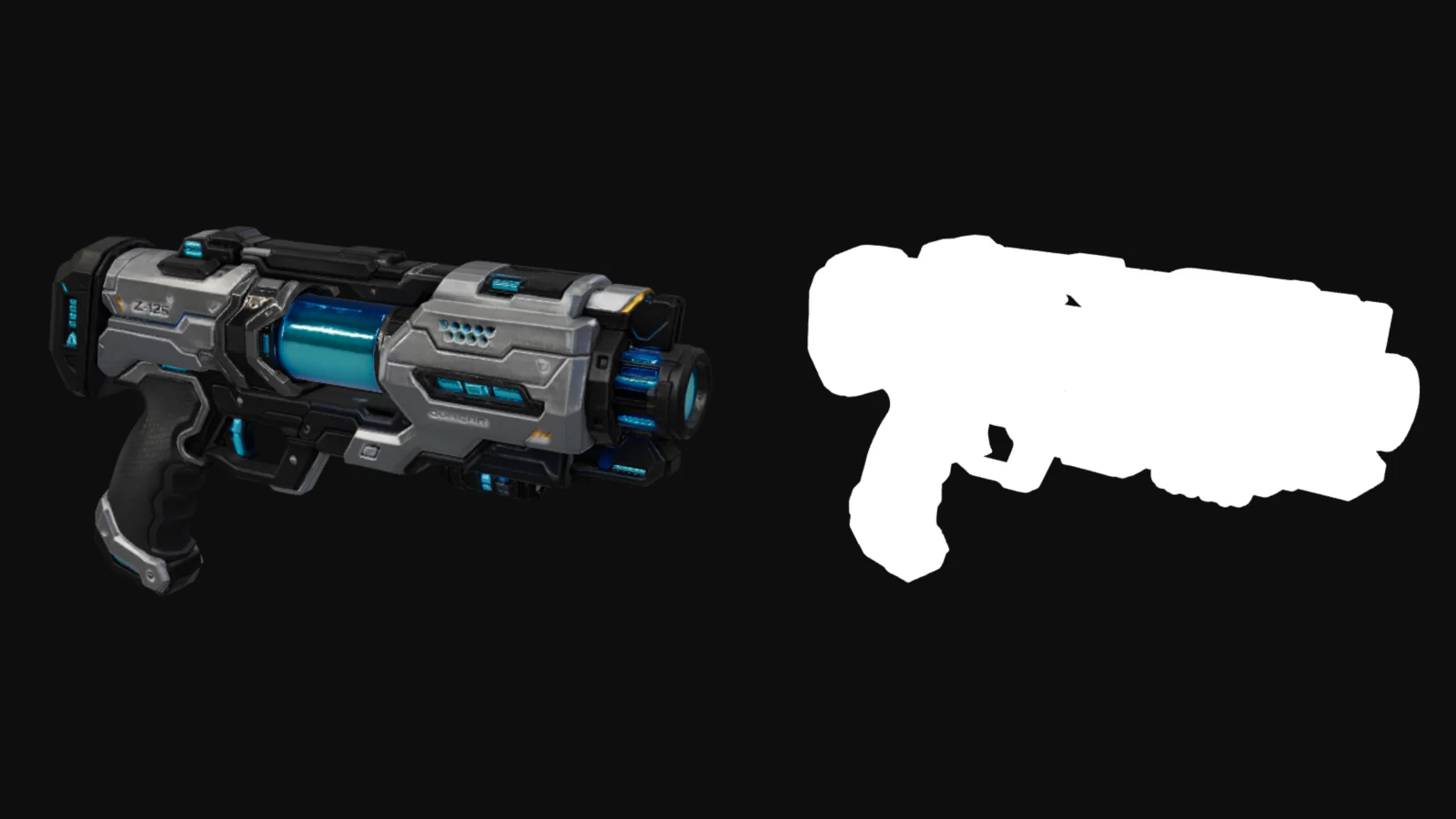
It closes the shell. Holes filled, non-manifold edges and internal shells removed, normal direction unified, self-intersections resolved. What you end up with is a single closed surface with no open edges.
Retopology, UV unwrapping and texture baking all assume that surface. Run them on a mesh with holes or flipped normals and the retopo tool produces garbage edge flow, the unwrap tears, and the normal bake fires rays into the void and returns black patches. Engines assume it too: collision generation expects a closed volume, and an open shell is where a character falls through a crate.
Why does a generated mesh need retopology before it ships?
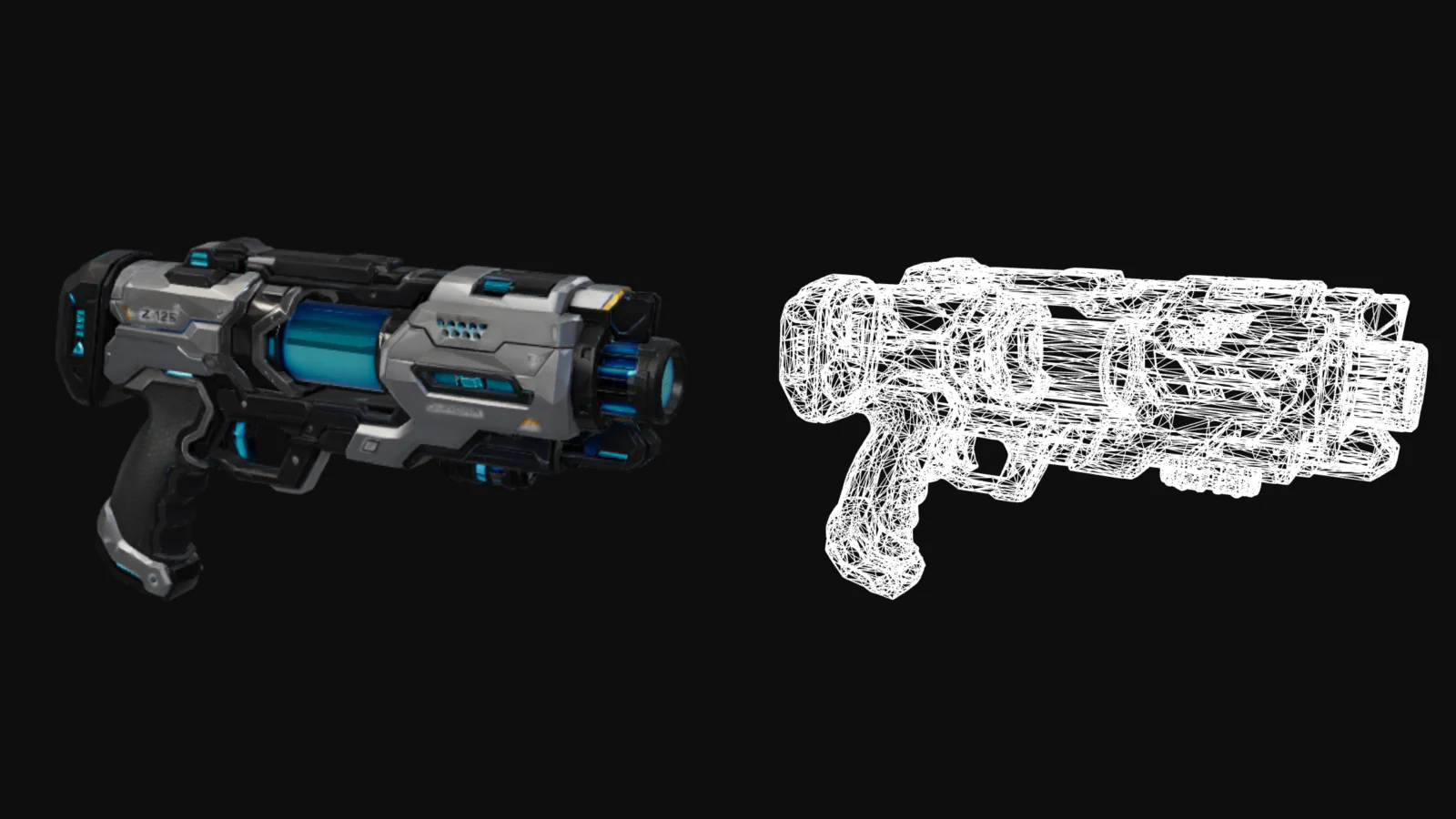
Retopology rebuilds the dense reconstruction as a clean mesh at a set triangle count, with edge loops following the form. The Atlas workflows retopologize and decimate to a budget you set, typically around 5k triangles for mobile, 20k for console, 50k for PC. Without it the raw mesh eats the frame budget, deforms badly under a rig, and can exceed the vertex count an engine’s default index buffer allows.
That last limit is concrete. Unity’s default index buffer is 16-bit, which tops out at 65,535 vertices per mesh; 32-bit indices lift the cap but are not supported on every mobile GPU. A raw reconstruction can cross that line. A retopologized prop never does.
Quads matter for anything that deforms. For a static prop, a clean triangle mesh at budget is the goal, which is why the demo spoke states its result as a ~35k quad/triangle budget. The stage on its own is covered on AI retopology for game assets.
Source: Unity scripting reference, Rendering.IndexFormat, as of September 2026.
What do UVs do, and what breaks without them?
UVs map every point on the mesh to a position in a flat 0 to 1 texture space, with seams placed where nobody will see them and padding between islands so filtering does not bleed. Every texture in the PBR set gets painted or baked onto that layout. Without UVs a texture has nowhere to land. With bad UVs the normal map shows seams, texel density varies across the asset, and mipmaps smear neighboring islands together.
On Atlas the unwrap happens inside the run, after retopology and before the bake, rather than afterwards in a DCC. Order matters here: unwrap the dense mesh first, then decimate, and the layout is gone.
What makes a texture set PBR, and why does the engine care?
A PBR set describes a surface in terms an engine’s lighting model can evaluate, instead of in painted highlights. The Khronos glTF 2.0 specification defines the metallic-roughness model on base color, metalness from 0.0 for non-metal to 1.0 for metal, and roughness from 0.0 for smooth to 1.0 for rough, each as a factor, a texture, or both. Atlas workflows return base color, roughness, metallic and normal, plus height and ambient occlusion where the workflow bakes them.
Resolution follows the platform: 1K textures at the mobile budget, 2K at console and PC. Skip the stage and the asset reads flat under engine lighting, with no separation between metal and paint.
Source: glTF 2.0 specification, §3.9.2 Metallic-Roughness Material, version 2.0.1, as of September 2026.
Only things that deform need a rig
Characters, creatures, anything with limbs or a face. A rig is a skeleton plus skinning weights that bind each vertex to one or more bones. The Atlas character workflows return a humanoid skeleton with skinning weights and basic animation clips, in the same GLB as the mesh. Props skip the stage entirely. A character with bad weights folds like a candy wrapper at the elbows.
Weights have a budget too. Unity’s character modeling guidance recommends linear blend skinning with at most four influences per vertex, and fewer bones for better performance. Rigging also depends on what retopology did: a humanoid skeleton expects edge loops at the joints, which a raw reconstruction does not have.
Source: Unity Manual, Modeling characters for optimal performance, Unity 6.6, as of September 2026.
What are LODs, and how many does an asset need?
Levels of detail are reduced-triangle copies of the same asset that the engine swaps in as the object gets smaller on screen. Unity describes the technique as one that improves performance by reducing the rendering workload. The Atlas workflows generate them where the workflow builds them: roughly 5k, 3k and 1k triangles on the WebGL pipeline, and 20,000, 7,500 and 2,500 faces on the UEFN kit. Without LODs a distant prop costs as much as a hero asset in the foreground.
LODs get cut from the retopologized mesh, not the raw one, and each tier keeps the UVs so one texture set serves all of them. Three tiers is the common shape. The LOD group in the engine decides the switch distances, not the asset.
Source for the definition: Unity Manual, Level of detail, Unity 6.6, as of September 2026.
What a GLB export actually contains
Mesh, materials, textures, skin and animation clips, all in one binary file. The Khronos glTF 2.0 specification introduces it as a container that lets an asset, including JSON, buffers and images, be stored in a single binary blob. The file extension is .glb and the registered media type is model/gltf-binary. Atlas workflows export GLB with the PBR materials embedded on the mesh.
The alternative is loose files, and that failure is familiar to anyone who has received an asset pack: a mesh without its textures, or a format that cannot carry what the pipeline produced. Godot’s import documentation notes that OBJ supports no skinning, no animation, no UV2 and no PBR materials. Where a platform expects something else, the workflow exports it. The UEFN kit returns FBX.
Sources: glTF 2.0 specification, §4 GLB File Format, version 2.0.1, and Godot docs, Available 3D formats, Godot 4.7, both as of September 2026.
Engine import is where the brief gets tested
The engine reads the GLB, builds a mesh asset, maps the metallic-roughness materials onto its own shader, and creates the skeleton and clips if they are there. Godot reads .glb directly and lists the Khronos glTF 2.0 format as its recommended import format. Unity reads it through its own package, com.unity.cloud.gltfast. Unreal Engine 5, Roblox Studio and UEFN each have their own path. What breaks at this point is almost always scale, up axis or an unmapped material.
Atlas outputs are built and tested against Unity, Unreal Engine 5, Godot, Roblox Studio, UEFN and WebGL frameworks such as Three.js, Babylon.js and PlayCanvas. GLB also opens in Blender, Maya, 3ds Max and Cinema 4D for kitbashing. Each workflow page lists what its own output was tested against.
Sources: Godot docs, Available 3D formats and Unity package manual, com.unity.cloud.gltfast, both as of September 2026.
What approval and provenance add at the end
Approval is the art director’s gate: the asset gets checked against the brief and the references before it enters the project. Provenance is the record of how it got there, which models ran, with which inputs and settings, under which context. On Atlas every asset carries a clear, verifiable history into the engine, and an allowlist sets which models a workspace may run at all. Without this, style drifts asset by asset and nobody can answer an IP question six months later.
The approval loop closes back into the brief. A rejected asset changes the context the graph carries, and the next run inherits the correction. That is what keeps a catalog of props on one visual language instead of drifting one prompt at a time.
How this looks on a real workflow
The demo spoke, The AI 3D asset pipeline for game production, runs the prop version of this chain end to end. Input is an untextured clay prototype. A vision pass reads its geometry, a language model turns that read into a lookdev prompt, an image model renders the concept, a reconstruction model rebuilds the mesh, it is retopologized to a ~35k quad/triangle budget, and 4K PBR maps bake against the render. Total runtime is 2 to 4 minutes, and the output is a GLB with base color, roughness, metallic and normal maps.
That spoke stops at the textured mesh. No rig, because a chest does not deform, and no LOD tiers, which the WebGL and UEFN workflows build instead. Stage timings on the page: 5 to 15 seconds for vision and prompting, 15 to 30 for the render, 1 to 2 minutes for reconstruction, 30 to 60 seconds for retopology, 1 to 2 minutes for the bake.
Where the pipeline stops
At engine-ready. Hero-final is still an artist’s job. Atlas is built for prototyping, art-direction iteration and player-driven content, where good enough fast beats perfect slow. Assets from Atlas have shipped in games, and the workflow pages say where a polish pass is still expected. The pipeline hands the team a budgeted, textured, documented mesh in minutes so the artist’s time goes into the pass that needs a human, not into the retopo.
…Atlas AI Studio represents an important step toward production-ready AI workflows…
Run the pipeline instead of reading about it
Pick a workflow on the hub, or open the demo spoke and run it against your own prototype.
Sign UpAI 3D workflows·The demo workflow·AI retopology·Meshy in Atlas