Generate 3D game assets with AI
Atlas turns a numbered prop list or a GDD excerpt into a batch of greybox 3D meshes — one parallel lane per asset, from text prompt to blockout geometry in minutes.
One list in, a batch of greybox meshes out
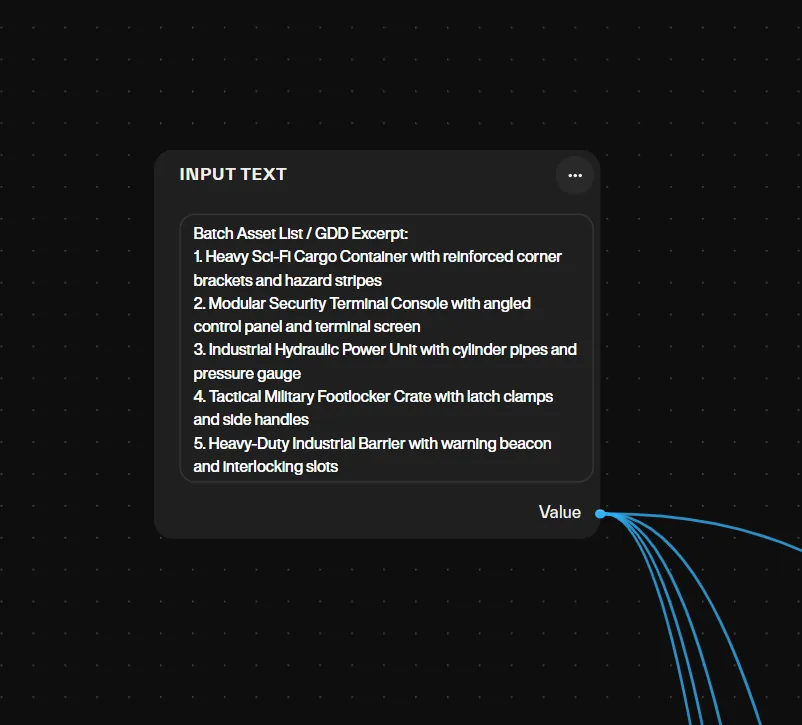
Batch ingestion
Paste a numbered asset list or a GDD excerpt into a single batch input node — Atlas splits it into one lane per item.
Parallel prompt engineering
Each lane extracts its assigned item and writes a standardized 3D concept prompt: isolated on a flat neutral background, 3/4 perspective, no floor shadows.
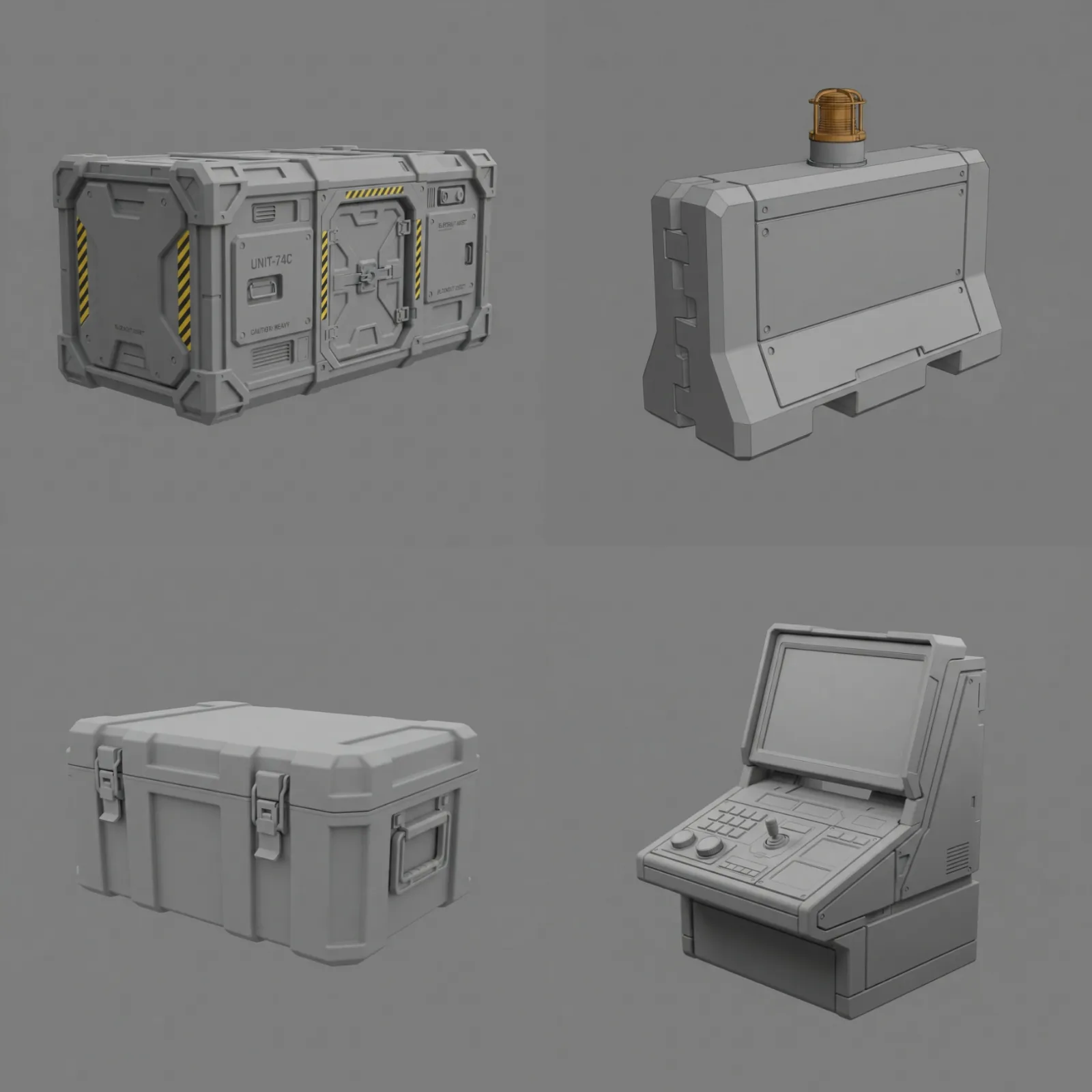
Concurrent concept synthesis
A fast text-to-image node fires for every lane at once, producing clean, silhouette-accurate concept art for each asset.
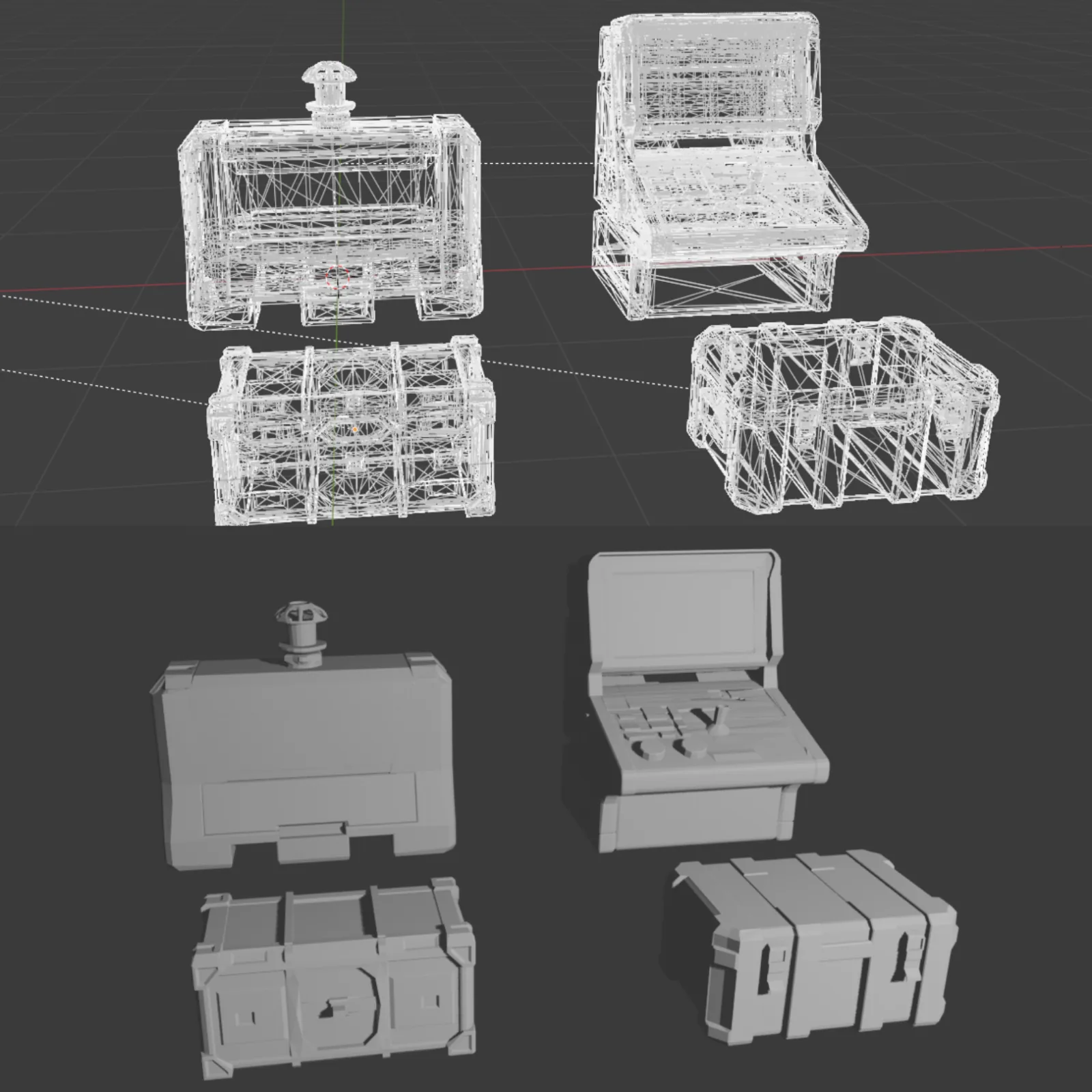
Zero-overhead reconstruction
A fast image-to-3D pass turns every concept into a mesh with PBR textures switched off, for pure greybox blockout geometry.
What is a greybox asset, and when does it become a game asset?
A greybox asset is untextured geometry with the right silhouette and scale, built to test layout, readability and gameplay before anyone spends time on surfaces. It turns into a game asset once it passes five checks: watertight mesh, triangle count inside the platform budget, clean UVs, PBR maps, correct pivot and orientation.
This workflow stops at the first stage on purpose. A greybox pass answers whether a prop reads at gameplay distance and fits the space, and it answers that in minutes. A beauty pass answers whether it looks right, which only pays off for the props that survive the first question. Texturing thirty props when twenty will be cut is how prototyping budgets disappear.
| Pass | What it adds | Where it runs |
|---|---|---|
| Greybox (this page) | Silhouette and scale, one GLB per asset | Fast image-to-3D, textures off |
| Beauty pass | PBR textures on the props that survive review | Quality image-to-3D node |
| Retopology to budget | About 5k triangles for mobile, 20k console, 50k PC | Optimization nodes |
| Rig | Skeleton and skin weights, characters only | Character workflows |
| Engine import | GLB drop-in, materials embedded | Unity, Unreal Engine, Godot |
The full pipeline, greybox to engine-ready: the AI 3D asset pipeline for game production →
How do you write the asset list so the batch comes out consistent?
One line per asset, same grammar every time: what it is, what it does, what it is made of, and a size class. "Cargo container, sealed, corrugated steel, large" gives the prompt-engineering lane the nouns it needs. "Cool container" gives it nothing. Staging is already handled — each lane writes the same isolated, flat-background, 3/4-view prompt — so your list only has to carry content.
- Put the style directive on the first line, once. Every lane inherits it.
- Keep one scale class per batch. Props and architecture in the same list produce concepts that disagree about what counts as large.
- Name materials, not moods. "Brushed aluminum" reconstructs; "futuristic" does not.
Where does the batch save time, and where does it not?
The saving comes from parallelism and from skipping surfaces. Every lane runs at once, and none of them waits for a texture pass, which is why a list-to-greybox run takes about four minutes instead of an afternoon.
Review time it does not save. Someone still walks the greybox set at gameplay distance and cuts what does not read. That review is the cheapest one in the pipeline — do it here, before anything gets textured.
Atlas empowers me as an artist to prototype game environments from idea to playable level without switching between different platforms…
Where the time goes
| Stage | Manual | Atlas |
|---|---|---|
| Total time, list to greybox set | 3–4 hours | ~4 minutes |
Common questions
What does the greybox batch output?
How long does a batch take?
Can I control the art style of the batch?
Which engines take the greybox GLBs?
Can I go from greybox to a textured, engine-ready asset in the same graph?
How many credits does a greybox batch use?
Do greybox meshes need retopology?
The stages in depth
Related workflows
Try this workflow in Atlas
Free to start. No credit card required.
Try it on Atlas